
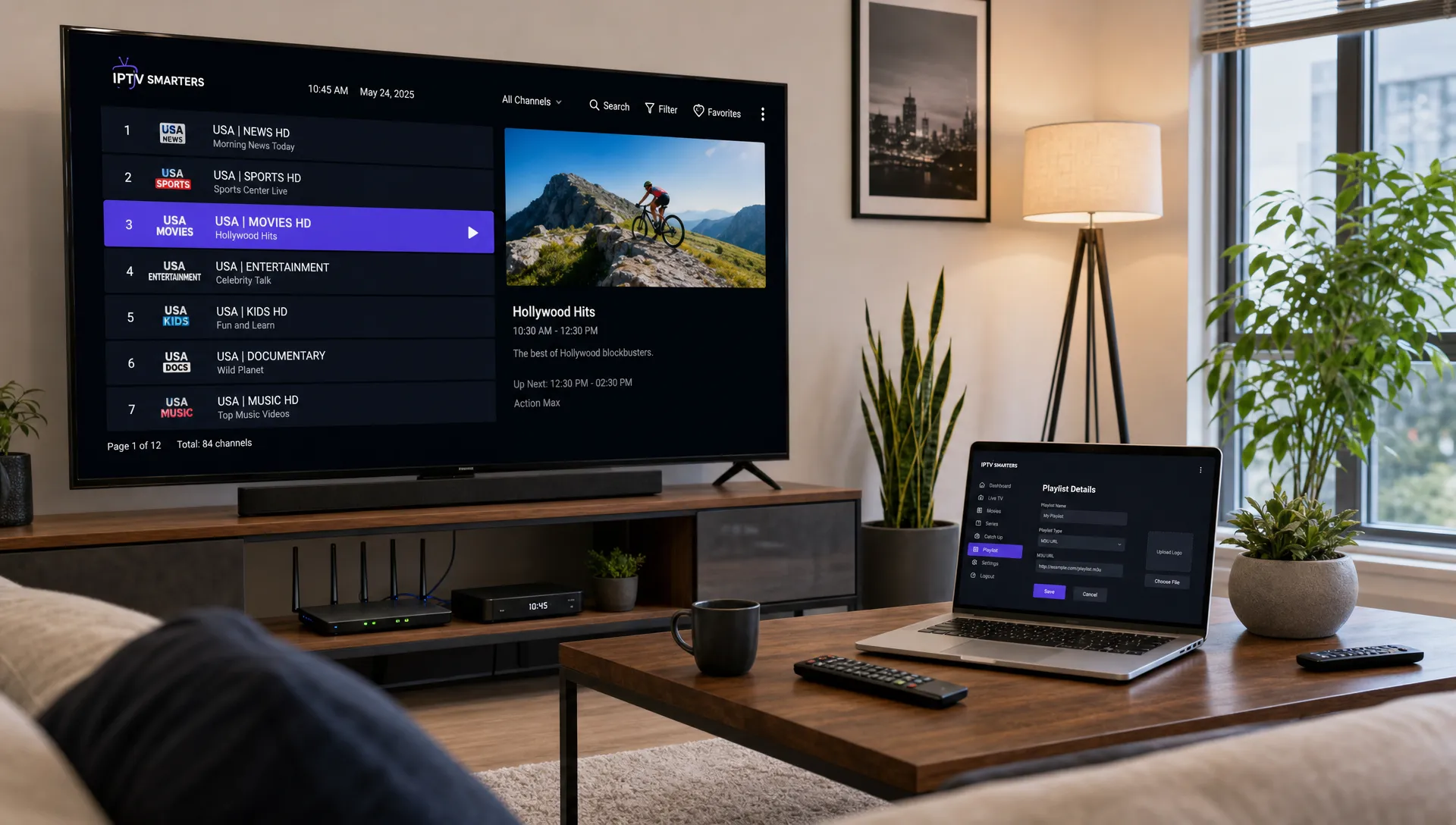
If your IPTV app feels crowded, slow to browse or hard to control, the problem is often not the stream itself. It is the way the viewing features are set up. This IPTV guide explains how EPGs, Favorites and Catch-Up TV work together so you can find channels faster, understand what is airing and replay eligible programs without digging through endless menus.
These tools turn a large IPTV subscription into something that feels organized. An EPG gives you the schedule, Favorites give you a personal shortcut list and catch-up lets you watch selected content after it airs. When all three are configured well, daily streaming becomes much closer to a modern cable-style experience, but with more flexibility across devices.
IPTV guide basics: what EPGs, Favorites and Catch-Up TV do
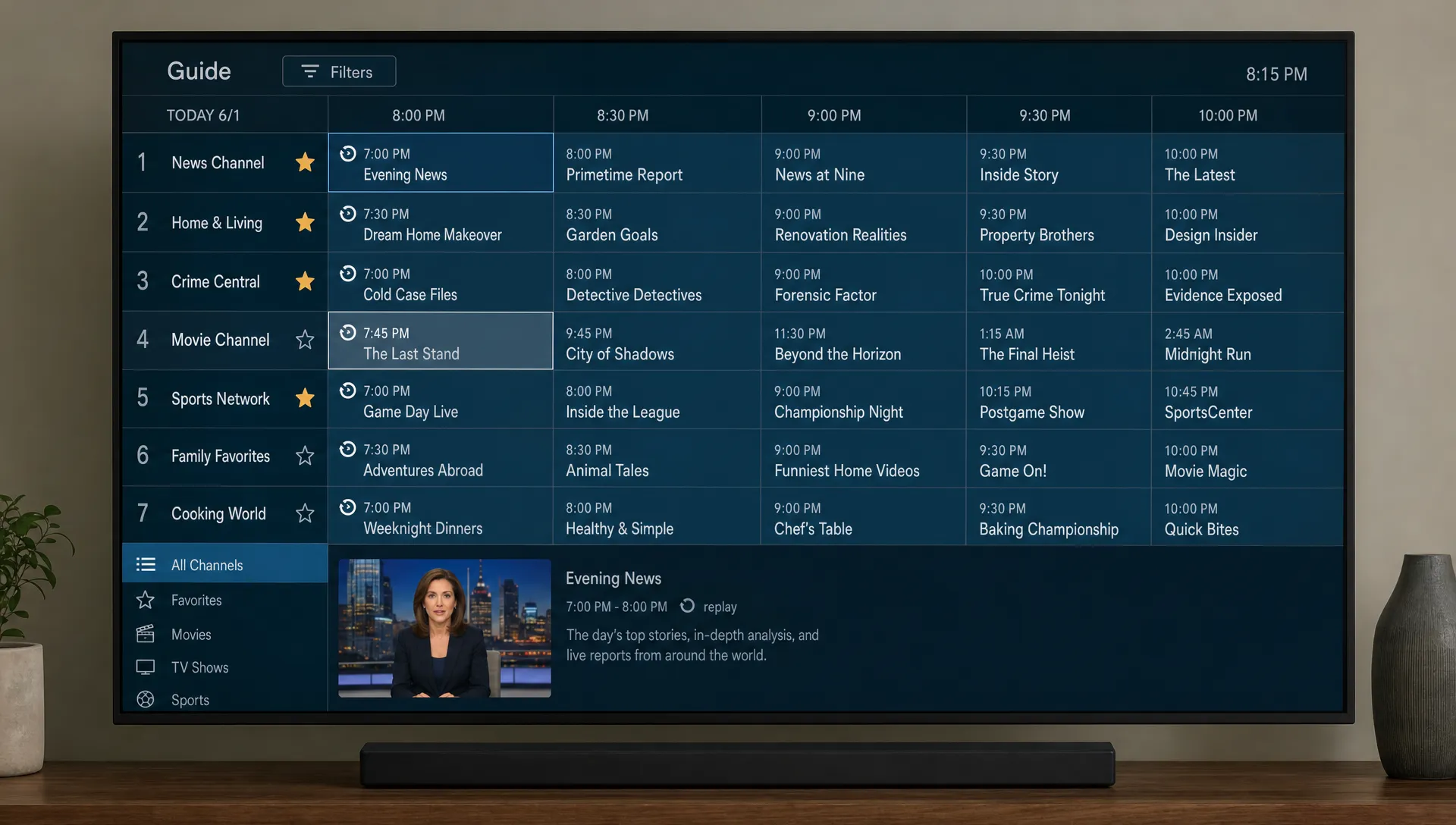
An EPG, short for Electronic Program Guide, is the on-screen schedule that shows program names, times and channel rows. Favorites are the channels you mark for quick access, usually with a star or heart icon. Catch-Up TV is a replay feature that lets you watch certain shows, matches or broadcasts after their live airing, if your provider and app support it.
If you are still learning the fundamentals, it helps to understand how IPTV works before changing app settings. IPTV delivers television over an internet connection, so guide data, channel playback and replay features can depend on both your provider and your player app.
| Feature | What it does | Best for | Common issue |
|---|---|---|---|
| EPG | Shows what is live now and what is coming next | Browsing by time or program name | Missing data or wrong time zone |
| Favorites | Saves selected channels in a personal list | Fast access to daily channels | List not synced across devices |
| Catch-Up TV | Replays supported programs after airing | Missed sports, news or shows | Not available for every channel |
A practical IPTV guide starts by separating content access from content control. Your subscription gives you access to channels and VOD, but your setup determines whether that access feels clean or chaotic.
How these features change daily viewing
Without an EPG, you are guessing what is on. Without Favorites, you are scrolling through hundreds or thousands of channels. Without catch-up, a missed kickoff or episode may be gone unless it appears later in VOD.
Together, these features support three everyday habits: planning, filtering and replaying. Planning means checking what is airing before you open a stream. Filtering means putting your most-used channels at the top. Replaying means using catch-up when life interrupts live TV.
How EPGs work in an IPTV app
EPG data usually reaches your app through your provider login, an M3U playlist with an XMLTV guide URL or an Xtream Codes style login. The app then tries to match each channel to its schedule data. If the channel name, ID or region does not match cleanly, the guide may appear blank even when the stream plays correctly.
In this IPTV guide, treat the EPG as a data layer rather than just a visual grid. The channel stream and the schedule are related, but they are not the same thing. A stream can work while the guide is missing, outdated or shifted by one hour.
Accurate timing matters anywhere people plan around a service. Viewers depend on program times much the way clients depend on clear appointment details from a salon such as Kingdom Cute Hair Salon before booking color or styling. When the schedule is clear, the user experience feels calmer and more reliable.
EPG setup checklist
Start with the login method recommended by your IPTV provider. If your app supports both M3U and Xtream Codes, the recommended option is often easier because it may pull channels, VOD and EPG data in one setup.
Use this checklist when your guide looks incomplete:
- Confirm the correct time zone inside the IPTV app and device settings.
- Refresh or reload the playlist after adding EPG details.
- Check whether your app has a separate EPG source field.
- Match blank channels manually if your player supports channel mapping.
- Clear app cache only after saving login details and Favorites.
If your EPG is one hour off, the cause is often daylight saving time, regional settings or a wrong offset in the app. If only some channels are blank, the issue is usually channel matching rather than a total guide failure.
Building Favorites that actually save time
Favorites should not become another messy channel list. The point is to create a smaller viewing area that reflects how your household actually watches TV. A good list may include local stations, sports channels, movie channels, kids channels and a few 24-hour news options.
This IPTV guide recommends starting with your real habits instead of trying to organize everything at once. For one week, note the channels you open repeatedly, then add only those to Favorites. You can always expand the list later.
For a deeper channel management workflow, the advice in organizing IPTV channels for faster viewing pairs well with Favorites because it focuses on reducing scroll time rather than simply creating more folders.
Suggested Favorites layout
A simple layout is usually better than a perfect one. If your app supports groups or categories, keep them broad enough that you can remember where things are.
| Favorite group | What to place there | Why it helps |
|---|---|---|
| Daily | Channels watched several times a week | Opens quickly when you just want TV on |
| Sports | Main sports networks and event channels | Reduces missed starts for live games |
| Movies | Film channels and premium movie feeds | Keeps entertainment separate from news |
| Family | Kids, lifestyle and shared household channels | Makes shared devices easier to use |
| Local | Regional or local stations | Helps with news, weather and live events |
Avoid saving every channel you might watch someday. If a Favorites list grows too large, it loses its purpose. Review it once a month and remove anything you have not opened recently.
Catch-Up TV: what it is and when to use it
Catch-Up TV lets you replay supported live broadcasts after they air. In many IPTV apps, channels with catch-up support display a clock, replay arrow or calendar icon. You can move backward in the guide, choose a past program and start playback if the replay window is still available.
For many households, this IPTV guide feature matters most during sports, news and live entertainment. It is useful when a match starts before you get home, a show overlaps with dinner or a live event airs in a different time zone.
Catch-up is not the same as VOD. Video on demand is a library of movies or series that can be selected independently from a live schedule. Catch-up is tied to a channel broadcast and usually has a limited replay window. Availability depends on provider support, channel support, content rights and app compatibility.
Catch-Up TV vs VOD vs recording
The terms can sound similar, but they solve different problems. Knowing the difference helps you choose the right feature instead of searching the wrong menu.
| Feature | How it works | Best use case |
|---|---|---|
| Catch-Up TV | Replays a previously aired program from the guide | Watching something you missed recently |
| VOD | Plays library content on demand | Choosing a movie or series anytime |
| Recording | Saves a program through the app or device, if supported | Keeping a specific broadcast for later |
Not every app supports recording and not every provider offers catch-up. Before subscribing, review whether EPG and catch-up support are included with the channels you care about. Our guide to choosing an IPTV service provider covers reliability, support and feature checks in more detail.
Troubleshooting EPG, Favorites and Catch-Up TV
When these features fail, the cause may be the app, the device, the provider feed or the internet connection. Use this IPTV guide checklist to narrow the problem before deleting and reinstalling everything.
| Problem | Likely cause | Practical fix |
|---|---|---|
| EPG is blank | Missing guide source, app sync issue or provider data problem | Reload playlist, re-enter EPG URL or contact support |
| EPG time is wrong | Wrong time zone, daylight saving setting or offset | Adjust device time zone and app EPG offset |
| Favorites disappeared | App reset, cache cleared or different profile used | Export settings if supported and avoid unnecessary resets |
| Catch-up icon is missing | Channel or provider does not support replay | Test another channel known to support catch-up |
| Catch-up buffers | Weak connection, server load or device limits | Restart router, switch to Ethernet or lower quality temporarily |
Do not assume a blank guide means your subscription is broken. First test live playback, then test the guide on a second app if possible. If the same channels and EPG fail across apps, the provider needs to check the feed. If one app fails and another works, the issue is probably app configuration.
Quick fixes that solve many guide problems
Reloading the playlist is often safer than clearing the entire app. Many players also offer an EPG refresh button, a guide cache reset or a manual time offset. Try those first.
If you use multiple devices, set up one device carefully and treat it as your reference. Once the EPG, Favorites and catch-up behave correctly there, copy the same login method and time zone settings to the others.
Best device and player settings for smoother viewing
A good IPTV guide also accounts for the device you use every day. Fire TV devices, Android TV boxes, smart TVs, iPhones, iPads and computers can all run IPTV apps, but the experience varies by processor speed, storage, remote control layout and app support.
For 4K channels, use the strongest connection available. Ethernet is often more stable than Wi-Fi, especially during live sports. If you must use Wi-Fi, place the streaming device near the router, avoid crowded networks and close background apps that compete for bandwidth.
EPG loading can also slow down older devices when a playlist contains many channels. If your player allows it, hide unused groups, reduce automatic refresh frequency and keep only important channels in Favorites. This makes the interface lighter without changing your subscription.
For a broader quality benchmark, see what to expect from a premium IPTV service before comparing providers only by channel count.
Privacy, reliability and provider selection
EPGs, Favorites and catch-up are convenience features, but they also reveal how carefully an IPTV service is maintained. A provider with organized channels, responsive support and clear setup instructions is usually easier to live with than one that only advertises a large channel number.
Look for practical signs of reliability. The service should explain compatible devices, provide setup help, support the app you want to use and communicate clearly when features vary by channel. If catch-up matters to you, ask whether it is available on the specific channels you watch rather than assuming it applies everywhere.
You should also choose services that are transparent about content access and regional availability. IPTV can be used for legitimate streaming, but availability can differ by provider, channel and country. Clear information protects you from buying a plan that does not match your expectations.
Frequently Asked Questions
What is an EPG in IPTV? An EPG is an Electronic Program Guide. It shows channel schedules, program names and start times inside your IPTV app, helping you browse live TV without opening each channel manually.
Why is my IPTV guide blank? A blank guide can happen when the EPG source is missing, the app has not refreshed, channel names do not match schedule data or the provider has a temporary guide issue. Reloading the playlist and checking time zone settings are good first steps.
Can I use Favorites on more than one device? Sometimes. Some IPTV apps store Favorites locally, while others may sync settings through an account or backup file. If your app does not sync, you may need to recreate the list on each device.
Does Catch-Up TV work on every IPTV channel? No. Catch-up depends on the provider, the channel and the app. Some channels may support replay for a limited time, while others only support live viewing.
Is Catch-Up TV the same as VOD? No. Catch-up replays programs that already aired on a live channel. VOD is a separate content library where movies or shows can be selected without following a live schedule.
Make your IPTV setup easier to use
The best IPTV experience is not only about having more channels. It is about finding the right channel quickly, knowing what is on and having a way to replay supported programs when you miss them live.
BuyIPTVfor4K offers IPTV subscriptions with live channels, movies and sports streaming in SD through 4K quality, along with broad device compatibility, setup support and flexible plans for USA and UK viewers. If you want a service built around high-quality streaming and easier setup, you can explore IPTV subscription options and choose the plan that fits how you watch.
One Reply to “Your IPTV Guide to EPGs, Favorites, and Catch-Up TV”