
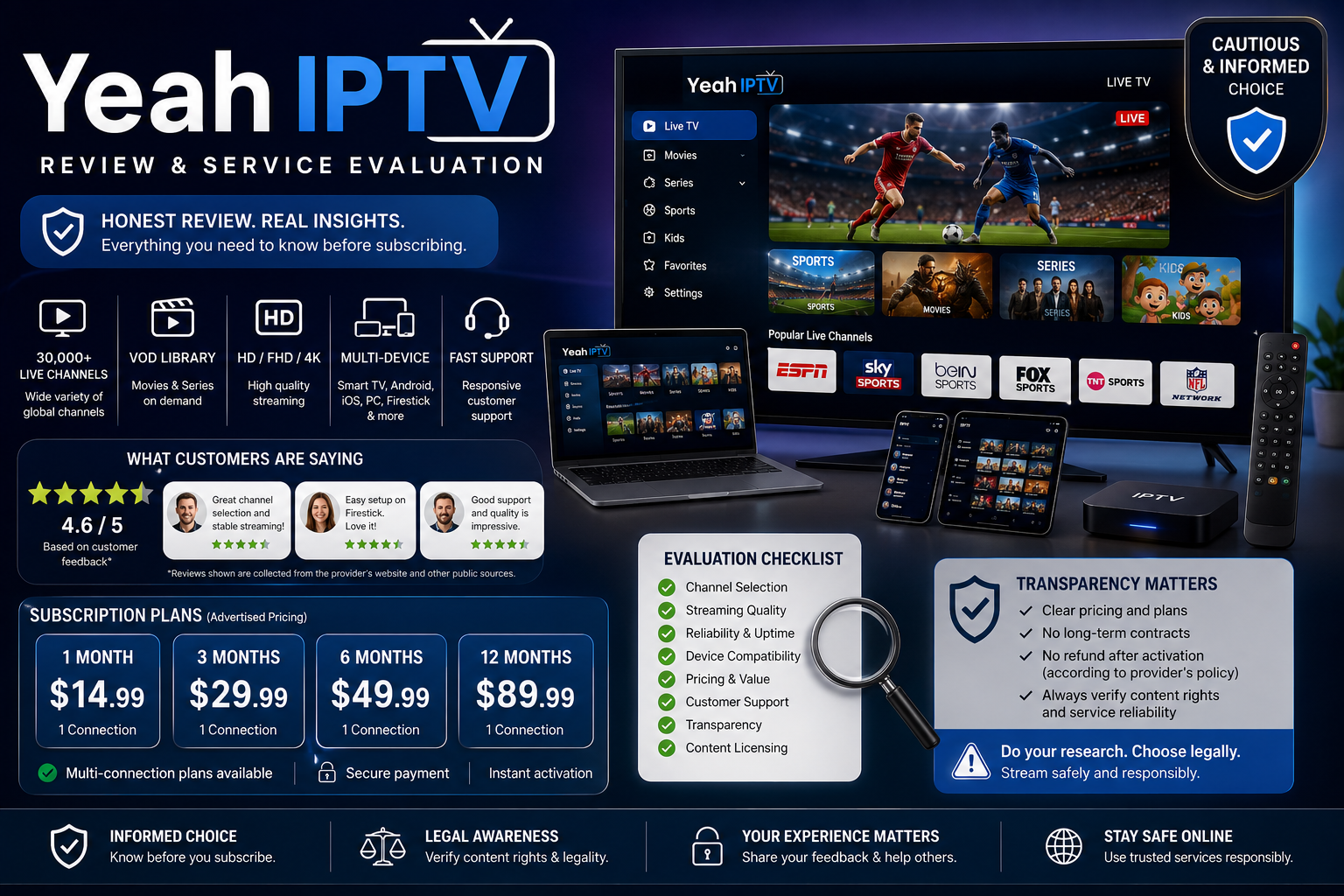
Yeah IPTV Reviews: Is It Worth Trying?
Choosing an IPTV provider is not just about a long channel list. It is about uptime, clear ownership, quick support, safe payment methods, and proof that the service has permission to sell what it offers. This review looks at Yeah IPTV from a buyer’s view. It uses public info, common themes in yeah iptv reviews, and a careful way to read iptv service reviews before you subscribe.
Is Yeah IPTV worth considering?
Yeah IPTV may be worth considering only if you are willing to do careful due diligence first, start with the shortest low-risk plan, and check that the service fits your legal, tech, and privacy needs. Public pages using the Yeah IPTV name advertise large channel and video-on-demand libraries, works on many devices, live TV, sports, movies, and support. But the public footprint is split across several similar domains with different claims. That makes it risky to rely on one promo page or one set of positive reviews as your only proof.
A fair review has to separate appeal from proof. IPTV can offer flexible streaming without a cable box, a big catalog, and wide device support. The problem is that service stability, content rights, refunds, payment safety, and channel access are hard to confirm before you buy.

What Yeah IPTV appears to offer
Public pages present Yeah IPTV as an IPTV plan for live channels, movies, series, sports, and on-demand entertainment. Some pages mention 4K or HD streaming, 24/7 support, and use on smart TVs, Fire TV, Android, and iOS. Other pages with the same brand list different library sizes. That is a sign to confirm the exact site, plan, and provider before paying.
For a typical user, the main promise is convenience. Instead of switching among many apps or cable packages, an IPTV service tries to put channels and VOD options in one place. That can help households that watch international shows, niche sports, or a mix of live and on-demand content.
The real test is simple: does the service work when you need it? IPTV can look strong on a sales page, but the real experience depends on server load, your internet, app fit, device power, and whether big events overload streams. That is why real iptv customer reviews are most useful when they give details such as device type, location, internet speed, event time, and support response.
The strongest potential benefits
Yeah IPTV’s main possible benefits are breadth, flexibility, and easy access. These are common reasons people try IPTV, especially if cable feels costly or too limited.
Key advantages buyers may want:
- Large content selection: Public pages claim access to many live channels and VOD titles, although the exact number changes by site and should be checked before purchase.
- Works on many devices: Pages linked to the brand mention smart TVs, Fire TV, Android, and iOS.
- Live and on-demand mix: The service is promoted around live TV, sports, movies, and series.
- Lower setup friction: IPTV usually avoids a cable install, though you may still need a player, stable broadband, and some basic setup skill.
- Trial-first potential: A short trial or small plan can help you test stream quality before a longer buy.
These benefits matter only if the service is steady and clear. A big channel list does not help if the channels you care about buffer, vanish, or fail during live events. When reading yeah iptv reviews, give more weight to comments that talk about real use over time, not broad praise that says it is the best IPTV ever.
The biggest concerns before subscribing
The biggest concerns are proof, consistency, and risk control. Several public pages use similar Yeah IPTV branding, and they do not all make the same claims. That can confuse buyers and make it hard to know which site is the real provider, which terms apply, and who is in charge if support or billing problems appear.
Another concern is that channel access may change. One terms page says service availability, features, and channel lists may change without notice. That is common in streaming, but it matters if you mainly want certain channels, sports, or local programs.
You should also be careful with review quality. The FTC says to check online reviews across more than one source and watch for fake or low-quality reviews, such as accounts made just to post one review. The FTC has also taken action against fake reviews and testimonials. That is why IPTV service reviews should be read with care, not taken at face value.
Finally, there is the legal and safety side. IPTV itself is not automatically illegal, but services that offer premium TV, movies, or live sports without clear rights can create risk. If a provider does not clearly explain content rights, business identity, cancellation terms, and support channels, treat that as a serious warning sign.
How reliable are yeah iptv reviews?
Yeah iptv reviews are useful only when they are specific, balanced, and backed by real use. A good review usually says what plan was used, what device ran the app, what the internet setup was like, where the user was, how support answered, and whether problems came during normal viewing or during a live event. A vague five-star review with no detail tells you very little.
Because IPTV is a crowded and sometimes opaque market, fake review risk is real. The FTC suggests checking review sites, search results, app stores, and social media rather than relying on one source. It also helps to search the company name with words like complaint or scam to find patterns that may not show on the provider site.
When you scan iptv customer reviews, look for repeated themes instead of one-off praise or complaints. One buffering issue may come from weak Wi-Fi, a slow device, or a local ISP problem. But repeated reports of missing channels, slow support, payment trouble, or refund confusion are more meaningful because they point to provider-side risk.
A practical review-reading checklist:
- Check the source. Is the review on an independent site, a forum, a social profile, or the provider page?
- Look for detail. Real reviews usually mention devices, apps, dates, channel types, and support outcomes.
- Watch for repeat wording. Similar text across many reviews can signal templated promotion.
- Separate setup issues from service issues. App setup problems are not the same as channels failing at the source.
- Search negative terms. Try words like refund, buffering, support, down, complaint, and scam.
- Avoid extremes. The most useful reviews are often calm and specific.
Streaming quality and performance expectations
Streaming quality is the make-or-break point for any IPTV provider. A service can advertise HD or 4K, but the real result depends on stream quality, server load, your internet speed, device power, router performance, and network stability. For live sports, the pressure is even higher because buffering, lag, and channel drops stand out fast.
If you test Yeah IPTV, do not judge it from one quiet weekday stream. Test the channels you actually care about during the times you normally watch. If sports are the reason you are buying, test during a live event instead of assuming a smooth movie stream means live channels will be the same.
A sensible test should include:
- Live channel switching: Move between several channels and note load time.
- Peak-hour viewing: Test in the evening or during major events.
- VOD playback: Check start time, subtitles, audio sync, and resume.
- Multiple devices: Try your main TV device and one backup device.
- Wi-Fi versus wired: If you can, test Ethernet to separate service issues from wireless noise.
- App stability: See whether the player crashes, loses guide data, or asks for frequent sign-in.
Keep your expectations realistic. IPTV can be sensitive to local network conditions. Before blaming the provider, restart your router, test another app, confirm your speed, and try the same stream on another device. If the same problem keeps showing up across devices and networks, the service is more likely the issue.
Content selection and channel claims
Large channel counts can be tempting, but they should not be the only reason to subscribe. Public pages linked to Yeah IPTV advertise tens of thousands of channels or very large VOD catalogs, but the numbers differ by domain. That difference matters because it shows why buyers should ask for an up-to-date channel list and check the exact package before paying.
Instead of asking how many channels are included, ask whether the channels you watch are included and reliable. A smaller stable lineup can be better than a huge list full of duplicates, dead streams, weak feeds, or channels in languages you do not use.
Before subscribing, make a must-have list:
- Local channels you watch often
- Sports networks and leagues that matter to you
- News channels you trust
- International channels by country or language
- Kids’ programming, if needed
- Movie and series categories you use
- DVR, catch-up, or EPG needs
- Number of people in your home who will stream at once
Then use that list during a trial or short plan. If the service cannot deliver your must-have channels well, the total catalog size does not matter.
Ease of setup and device fit
Yeah IPTV pages promote use on smart TVs, Fire TV, Android, and iOS. That is good for everyday users, but the claim still needs to be tested on your own device, because IPTV players, operating system versions, and app stores can vary.
The easiest setup is usually on a dedicated streaming device with enough power and a stable internet link. Older smart TVs can struggle with IPTV apps, especially if the app is outdated or the TV has limited memory. A newer streaming stick or box may work better than a built-in TV app.
If you are not comfortable setting up playlist URLs, login details, EPG links, or third-party players, support quality matters even more. A good provider should explain setup clearly and should not push you to install strange software or share more personal info than needed. If the setup steps are hard to follow before purchase, that is often a hint of later support trouble.
Customer support and account management
Support is one of the most important parts of any IPTV review because problems often show up at the worst time. A channel may fail before a game, an app may stop after an update, or login details may need to be reset. Public Yeah IPTV pages mention customer support, but the real question is whether support is reachable, clear, and useful when something goes wrong.
Before paying for a longer plan, contact support with a simple pre-sale question. Ask about device fit, refund terms, channel access, or cancellation. The reply can tell you a lot. Fast and specific answers are a good sign. Vague replies, hard sales, or copied scripts are not.
Also read the terms before you buy. One Yeah IPTV terms page explains auto-renewal and cancellation steps for annual prepaid subscriptions, while another says users should review terms now and then. Terms can differ by domain, so confirm the exact policy on the site where you plan to pay.
Safety, legality, and payment risk
Safety should be part of every IPTV buying decision. If a service asks for odd payment methods, hides business identity details, or keeps licensing unclear, slow down. The lower the trust level, the more important it is to avoid long commitments and protect your payment info.
The legal issue matters too. People searching for sites like Streameast often want free or low-cost sports streams, but Streameast was described by the Associated Press as an illegal live sports platform after an anti-piracy group announced its shutdown. That does not mean every IPTV service is illegal. It does show why sports-heavy offers need careful review.
A cautious payment and safety checklist:
- Use the shortest plan until the service proves itself.
- Avoid lifetime deals that sound too good to last.
- Prefer payment methods with buyer protection when you can.
- Do not share passwords used on other accounts.
- Avoid apps from unknown sources unless you understand the risk.
- Confirm renewal and cancellation terms before you buy.
- Look for clear business contact details and support channels.
- Ask directly whether the provider is allowed to carry the content you want.
If a provider cannot answer basic questions about billing, rights, or support, that is not a small issue. It is a reason to pause.
Who Yeah IPTV may suit
Yeah IPTV may suit technically comfortable users who understand IPTV setup, know which channels they want, and are willing to test before committing. It may also fit viewers who want international programming or a broad live TV and VOD mix, as long as they confirm availability and accept that channel lists can change.
It is less suitable for users who want a polished mainstream streaming feel with clear app-store install, clear rights, steady refunds, and well-documented customer service. If you are buying for a family member who expects everything to work like Netflix, Hulu, YouTube TV, or a cable app, a manual IPTV setup may cause frustration.
The best fit is someone who treats the purchase as a test, not a promise. Start small, document what happens, and judge the service by your own must-have channels, not by headline catalog numbers.
How to compare Yeah IPTV with other IPTV service reviews
The most useful comparison is not which IPTV has the biggest list. It is which provider is most reliable, most open, and best for your viewing habits. Many IPTV service reviews focus on content volume, but better buying signs are stability, support, legal clarity, payment safety, and honest expectations.
Use the same test for every provider you compare:
- Transparency: Does the provider clearly show terms, renewal rules, support options, and refund terms?
- Reliability: Do independent reviews mention stable streams over weeks or months?
- Specific channel quality: Are your must-have channels available and usable during busy times?
- Device fit: Does it work well on your real TV setup?
- Support quality: Does support answer clear questions before and after purchase?
- Review credibility: Are the reviews detailed, mixed, and spread across more than one source?
- Legal comfort: Does the provider give enough detail for you to feel safe about content rights?
This same approach helps when comparing IPTV with mainstream live TV streaming services. Licensed services may cost more or have smaller lineups, but they often give clearer rights, billing, app support, and consumer protection. The right choice depends on your risk tolerance as much as your channel wish list.
Practical verdict
Yeah IPTV has the kind of offer many cord-cutters find attractive: broad content claims, live TV, sports, VOD, and device fit. But the public info also raises questions buyers should not ignore, especially multiple similar domains, changing catalog claims, and terms that allow service details to change.
The practical verdict is cautious, not blindly positive or negative. If you are interested, test it with a short plan, verify your must-have channels, read the exact terms for the site you use, and check support before buying a longer plan. Treat promo claims and glowing reviews as starting points, not proof.
For anyone comparing yeah iptv reviews, iptv customer reviews, and broader iptv service reviews, the smartest move is to build your own evidence. Check multiple sources, ask direct questions, protect your payment details, and choose the option that gives you the best mix of reliability, transparency, and peace of mind.
Q&A
Question: What is the safest way to try Yeah IPTV if I am still unsure?
Short answer: Start with the shortest plan or a trial, avoid long commitments, and test the service on the devices and channels you actually use. Pay special attention to peak-hour performance, live sports, support speed, cancellation terms, and whether the provider clearly explains billing and content rights.
Question: Why do multiple Yeah IPTV domains matter?
Short answer: Multiple similar domains make it harder to confirm which site is the real provider, which terms apply, and who is responsible for support, billing, or refunds. Before you buy, check the exact website, plan details, renewal rules, channel claims, and contact options for the domain where you plan to pay.
Question: Are large channel counts a reliable sign of a good IPTV service?
Short answer: Not by themselves. A large catalog can look good, but reliability matters more than headline numbers. It is better to confirm that your must-have channels work well during evenings, live sports, and other busy times than to trust a broad channel-count claim.
Question: How should I judge yeah iptv reviews before subscribing?
Short answer: Give more weight to detailed, balanced reviews that mention the device used, app setup, location, internet speed, plan length, support experience, and viewing conditions. Be careful with vague praise, repeated wording, extreme claims, or reviews found only on promo pages. Checking more than one independent source is far better than trusting one site.
Question: Is IPTV itself illegal?
Short answer: IPTV technology is not automatically illegal, but a service can create legal and safety concerns if it offers premium channels, movies, or live sports without clear permission. If a provider is unclear about rights, business identity, support channels, or payment protection, treat that as a serious warning sign.