
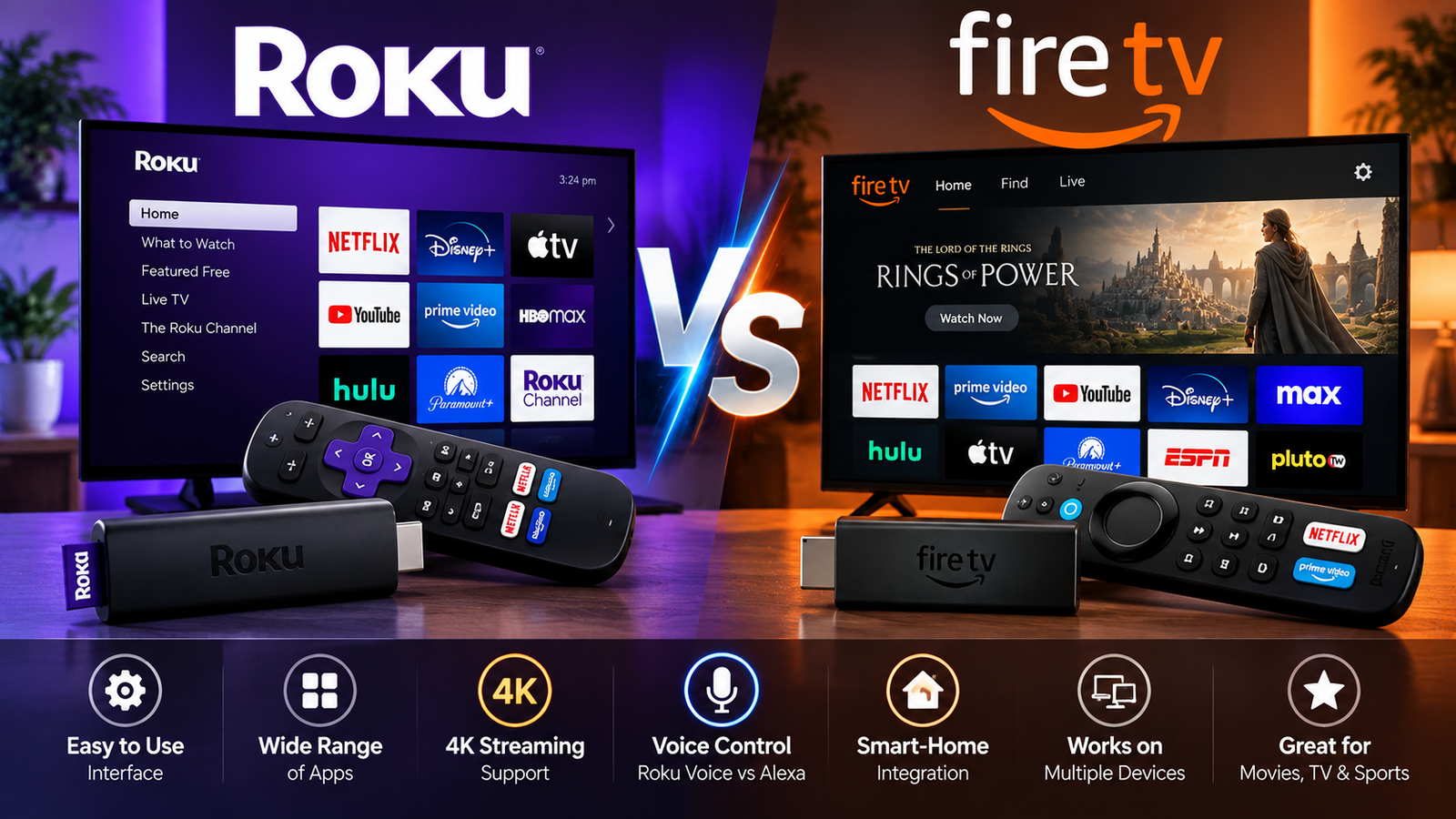
If you are comparing Roku vs Fire TV, the better choice depends less on picture quality and more on the home screen you want to live with every day. Roku is usually the simpler, more neutral streaming platform, while Fire TV is better if you already use Amazon Prime Video, Alexa, Ring, Luna, or other Amazon services. Both can run major streaming apps, both sell affordable sticks, and both can be built directly into smart TVs.
The short answer: choose Roku for a cleaner, easier interface and broad smart-home compatibility; choose Fire TV for deeper Amazon integration, stronger Alexa controls, and a more Amazon-centered entertainment experience.
Which is better for most people, Roku or Fire TV?
For most households, Roku is the safer everyday pick because it is simple to navigate, easy to explain to guests, and less tied to one content ecosystem. Fire TV can be the better device if you already rely on Amazon services or want Alexa voice control to be a major part of your TV experience. In a close amazon fire tv vs roku comparison, Roku wins on simplicity, while Fire TV wins on ecosystem depth.
That is why the best answer to “roku or amazon tv?” starts with your habits. If you open Netflix, Hulu, Disney+, YouTube, Max, and live TV apps without caring which company made the device, Roku feels more direct. If you ask Alexa to find shows, manage smart-home devices, check cameras, or jump into Prime Video, Fire TV feels more connected.
Roku’s current streaming player lineup includes compact HD and 4K sticks, a higher-end Roku Ultra, and Streambar options, with Roku listing features such as 500+ free live TV channels, voice remotes, Dolby Vision on select models, and compatibility with Siri, Alexa, and Google on its comparison page. (roku.com) Amazon’s current Fire TV streaming player family includes devices such as Fire TV Stick HD, Fire TV Stick 4K Select, Fire TV Stick 4K Plus, and Fire TV Stick 4K Max, with Amazon’s developer documentation listing recent models and technical specifications. (developer.amazon.com)

The core difference is interface philosophy
The biggest difference between Fire Stick and Roku Stick is not that one streams and the other does not. Both are small HDMI devices that plug into a TV, connect to Wi-Fi, and let you install streaming apps. The real difference is how each platform organizes your watching life.
Roku’s interface is app-first. You see your installed apps in a straightforward grid, open the one you want, and watch. There are recommendations and sponsored placements, but the system generally keeps the app tiles central. That makes Roku feel familiar to people who want their TV to behave like a simple launcher.
Fire TV is content-first and Amazon-first. The home screen is designed around recommendations, Prime Video, live TV rows, Alexa search, and other discovery features. This can be helpful if you like browsing from one hub, but it can feel busier if you mainly want to open a specific app and skip the noise.
A quick way to frame fire tv versus roku is this:
- Roku feels like a universal remote for apps. It is simple, direct, and easy for less technical users.
- Fire TV feels like an entertainment dashboard. It is richer, more voice-driven, and more tied into Amazon.
- Roku is usually easier for shared homes. Guests, kids, and relatives can learn it quickly.
- Fire TV is usually better for Alexa homes. Voice search, smart-home control, and Amazon account features are more central.
Roku Stick vs Fire Stick features that matter
The roku stick vs fire question often comes down to the exact models you are comparing. A basic HD stick should not be judged against a premium 4K Max stick. Likewise, a budget Fire TV Stick should not be compared to a Roku Ultra as if they are the same category.
Roku’s current lineup shows a clear ladder: HD streaming on Roku Streaming Stick, 4K HDR on Roku Streaming Stick Plus, Dolby Vision support on Roku Streaming Stick 4K, and premium features such as Ethernet, USB, Wi‑Fi 6, Dolby Atmos, and a Voice Remote Pro on Roku Ultra. (roku.com) Amazon’s documentation lists Fire TV Stick HD as a 2026 model with Vega OS, Wi‑Fi 6 support, 1GB RAM, and a compact direct-power design, while Fire TV Stick 4K Max remains a higher-end stick with 16GB storage and Wi‑Fi 6E support. (developer.amazon.com)
Here are the practical features to check before buying:
- Resolution: If your TV is 1080p, an HD stick is enough. If your TV is 4K, buy a 4K model.
- HDR support: Look for HDR10, HDR10+, Dolby Vision, or HLG depending on what your TV supports.
- Wi-Fi quality: A faster stick can still struggle if your router is far away. Premium models often handle tougher Wi-Fi situations better.
- Remote controls: TV power and volume buttons are worth having. A lost-remote finder or backlit buttons are nice extras.
- Storage: Fire TV models may matter more here if you install many apps or games.
- Voice assistant: Roku voice search is useful; Alexa on Fire TV is deeper if your home already uses Alexa.
When people search “roku stick fire stick” or “roku stick vs amazon stick,” they often want a simple winner. The real answer is to buy the model that matches your TV: HD for older bedroom TVs, 4K HDR for most modern living-room TVs, and a premium model only if you care about speed, Wi-Fi, gaming, Ethernet, or better remote features.
Apps and content are strong on both platforms
Most people do not need to worry about missing the major apps. Roku says its devices support services such as Netflix, Hulu, Disney+, YouTube, and many more, and its support pages describe Roku’s Streaming Store as a place with thousands of apps and free TV. (roku.com) Amazon says Fire TV supports apps such as Prime Video, Netflix, Disney+, Hulu, and Max, plus games from the Amazon Appstore and Amazon Luna. (developer.amazon.com)
That said, app availability can change. If one niche sports app, international service, fitness platform, or local TV app matters to you, search for that app before buying. This is especially important when evaluating new apps for Firestick or a newer Fire TV model running a newer operating system.
For app-focused shoppers, use this checklist:
- List your must-have apps before choosing a device.
- Check whether each app is available on Roku’s Streaming Store or Amazon’s Appstore.
- Confirm whether your cable, satellite, or live TV provider supports login on that platform.
- Look at whether the app supports 4K, HDR, Dolby Vision, or Dolby Atmos on that device.
- Consider whether you prefer buying subscriptions through Roku, Amazon, or directly from the streaming service.
Roku also leans heavily into free viewing through The Roku Channel and free live TV channels. Fire TV offers free and live TV discovery too, but the interface is more integrated with Amazon’s broader content system. Neither approach is automatically better; it depends on whether you prefer an app grid or a recommendation-heavy hub.
Fire TV vs Roku TV is different from stick vs stick
The fire tv vs roku tv debate is about smart TV operating systems built into televisions, not just plug-in streaming sticks. A Roku TV uses Roku’s interface as the TV’s main operating system. A Fire TV uses Amazon’s Fire TV interface as the TV’s main operating system.
This matters because a smart TV controls more than apps. It also handles HDMI inputs, antenna channels, picture settings, voice controls, home-screen recommendations, and sometimes smart-home features. If you buy a Roku TV, you are choosing Roku as the daily TV interface. If you buy an Amazon Fire TV, you are choosing Fire TV as the daily TV interface.
In an amazon fire tv vs roku tv comparison, Roku TV is usually best for people who want a simple smart TV that is easy to use. Amazon Fire TV is usually best for people who want Alexa, Prime Video, live recommendations, and Amazon smart-home control built directly into the television.
Amazon’s smart TV support explains that some Fire TV smart TVs offer a Basic experience and a Full experience; the Full experience requires registering the TV to an Amazon account and unlocks Alexa and the full compatible app selection. (digprjsurvey.amazon.com) That is a key difference for shoppers who do not want to sign into a large platform account just to use a TV.
If your search is “smart fire tv vs roku,” ask yourself:
- Do I want the simplest possible home screen? Choose Roku TV.
- Do I already use Alexa every day? Choose Fire TV.
- Do I care more about app tiles than recommendations? Choose Roku TV.
- Do I want Amazon services woven into the TV? Choose Fire TV.
- Am I buying for a guest room or rental? Roku TV may be easier for visitors.
Price and value depend on sales
The roku vs firestick price question changes constantly because both brands discount streaming devices often. Roku’s official player page listed models such as Roku Streaming Stick at $39.99, Streaming Stick Plus at $59.99, Streaming Stick 4K at $79.99, and Roku Ultra at $149.99 when checked, while Roku’s comparison page may show temporary sale prices at the same time. (roku.com) Amazon announced the Fire TV Stick 4K Select at $39.99, and third-party retail listings and recent deal coverage show that Fire TV pricing can swing sharply during promotions. (aboutamazon.com)
Because prices move, do not buy solely by brand. Compare the exact model, current sale price, and feature set. A discounted premium Fire TV Stick may be a better value than a full-price basic Roku. A discounted Roku Streaming Stick 4K may be a better value than a Fire TV model if you prefer Roku’s interface.
A practical value rule:
- Best low-cost buy: whichever HD stick is cheapest from a reputable seller, if you only need 1080p.
- Best mainstream buy: a 4K HDR stick from either brand, because it fits most modern TVs.
- Best premium buy: Roku Ultra if you want Roku’s best remote and connection options; Fire TV Stick 4K Max if you want Amazon’s strongest stick features.
- Best smart TV value: compare the TV panel first, then the operating system. A great panel with either Roku or Fire TV will matter more than OS preference alone.
Searches like amazon stick vs roku, firestick v roku, and roku stick vs amazon stick usually come from budget shoppers. The smartest move is to set your budget first, then compare only devices in the same price band.
Which is the best Firestick to buy?
The best Firestick to buy for most 4K TV owners is usually a 4K model rather than an HD-only model, because it gives you better long-term flexibility. If you want the lowest 4K price, look at Fire TV Stick 4K Select; if you want stronger performance and more premium features, look at Fire TV Stick 4K Max or the current upper-tier Fire TV stick available at your retailer. Amazon’s own materials position Fire TV Stick 4K Select as an affordable 4K option, while its documentation identifies Fire TV Stick 4K Max as a higher-end model with Wi‑Fi 6E and 16GB storage. (aboutamazon.com)
Do not overbuy for an old TV. If you have a 1080p guest-room screen, Fire TV Stick HD can be enough. If you have a main living-room 4K TV, buy a 4K device even if you mostly watch HD content today. Streaming services, sports, and movies increasingly reward the better hardware.
Here is a simple buying guide:
- Choose Fire TV Stick HD for an inexpensive older TV, dorm room, kitchen, or travel setup.
- Choose Fire TV Stick 4K Select if you want affordable 4K and do not need the most advanced stick.
- Choose Fire TV Stick 4K Plus or similar current 4K model if you want a more capable 4K Fire TV experience.
- Choose Fire TV Stick 4K Max if you install many apps, want stronger wireless performance, or care about the most capable Fire TV stick experience.
- Choose Fire TV Cube instead of a stick only if you want hands-free Alexa and a more powerful set-top device.
Roku wins on simplicity and neutral discovery
Roku’s biggest advantage is that it is easy to understand. This makes it a strong choice for households with kids, older relatives, guests, roommates, or anyone who dislikes busy menus. You can move apps around, open what you need, and avoid feeling locked into one company’s media store.
Roku also works well for people who use mixed smart-home systems. Roku’s comparison page highlights compatibility with Siri, Alexa, and Google, which is useful if your household is not fully committed to one assistant. (roku.com) Fire TV is excellent with Alexa, but Roku’s broader assistant compatibility can feel more flexible.
Roku’s Guest Mode is another practical advantage for short-term rentals, guest rooms, and family visits. Roku says Guest Mode lets visitors sign into their own subscriptions without accessing your apps, purchases, or recommendations, and added apps are removed when the guest signs out. (support.roku.com) That feature alone can make Roku easier to recommend for Airbnb-style spaces or a frequently used spare room.
Fire TV wins on Alexa and Amazon ecosystem features
Fire TV’s biggest advantage is integration. If your home already uses Echo speakers, Ring cameras, Prime Video, Amazon Photos, or Alexa routines, Fire TV feels like part of the same system. You can search by voice, jump into Amazon content quickly, and use the TV as another screen for Amazon-connected features.
Fire TV also appeals to people who like content discovery. Instead of opening app after app, you can browse rows, search across services, and use Alexa to find something by title, actor, genre, or category. Amazon has also emphasized faster discovery features such as Continue Watching, live TV and sports rows, a redesigned live guide, and a unified watchlist in newer Fire TV announcements. (aboutamazon.com)
The tradeoff is that Fire TV can feel more crowded. If you do not use Prime Video or Alexa, some of its biggest strengths may feel like clutter. But if you do use Amazon heavily, Fire TV can feel more powerful than Roku because it is doing more than launching apps.

Can you use a Roku Stick on a Fire TV?
Yes, you can use a Roku Stick on a Fire TV television as long as the TV has an available HDMI port. A Roku Streaming Stick is an HDMI streaming device, and Roku’s setup instructions say to connect the device to an HDMI port on your TV; Amazon’s setup guidance for Fire TV Sticks is similar for HDMI-based streaming devices. (support.roku.com)
This is where the wording matters. If you mean “can you use a Roku Stick on a Fire TV smart television?” the answer is yes: plug the Roku into an HDMI input, switch to that input, and use Roku instead of the built-in Fire TV interface. If you mean “can you plug a Roku Stick into a Fire TV Stick?” the answer is no, because streaming sticks are both source devices, not displays with HDMI inputs.
The same logic works in reverse. You can use a Fire Stick on a Roku TV through HDMI. So a “roku tv fire stick” setup is perfectly normal if you like the TV hardware but prefer Fire TV’s interface, or if an app works better on Fire TV than on the built-in Roku system.
Roku Express vs Amazon Fire Stick and older comparisons
Some shoppers still compare Roku Express vs Amazon Fire Stick because older Roku Express models have been popular budget devices. The right way to think about that comparison is category, not name. If the Roku Express model you are considering is HD-only, compare it to an HD Fire TV Stick. If you want 4K, compare a 4K Roku model with a 4K Fire TV model instead.
The same applies to older “amazon stick vs roku” and “roku stick vs fire” searches. Product names change, prices change, and retailers often carry older stock. Before buying, confirm release year, resolution, HDR support, remote features, Wi-Fi capability, and return policy.
A budget checklist helps avoid mistakes:
- Do not buy an HD-only device for a main 4K TV unless the price is extremely low.
- Do not pay premium prices for an old model when a newer stick is on sale.
- Check whether the remote controls TV power and volume.
- Make sure the device supports the exact app you care about.
- Buy from a retailer with a return window in case your Wi-Fi, app, or TV compatibility disappoints.
The final verdict
In the roku vs fire tv debate, Roku is better for most people who want a clean, simple, app-first streaming experience. Fire TV is better for Amazon-centered households that want Alexa, Prime Video, smart-home features, and content recommendations built deeply into the TV interface.
Choose Roku if you value simplicity, neutrality, Guest Mode, and an interface that almost anyone can learn quickly. Choose Fire TV if you value Alexa, Amazon services, integrated discovery, and a more feature-heavy home screen.
If you are still undecided, buy based on your main annoyance. If you hate clutter, pick Roku. If you hate typing and want voice control to do more, pick Fire TV. Either way, match the device to your TV’s resolution, check your must-have apps, compare the current price, and choose the platform you will enjoy using every night.