
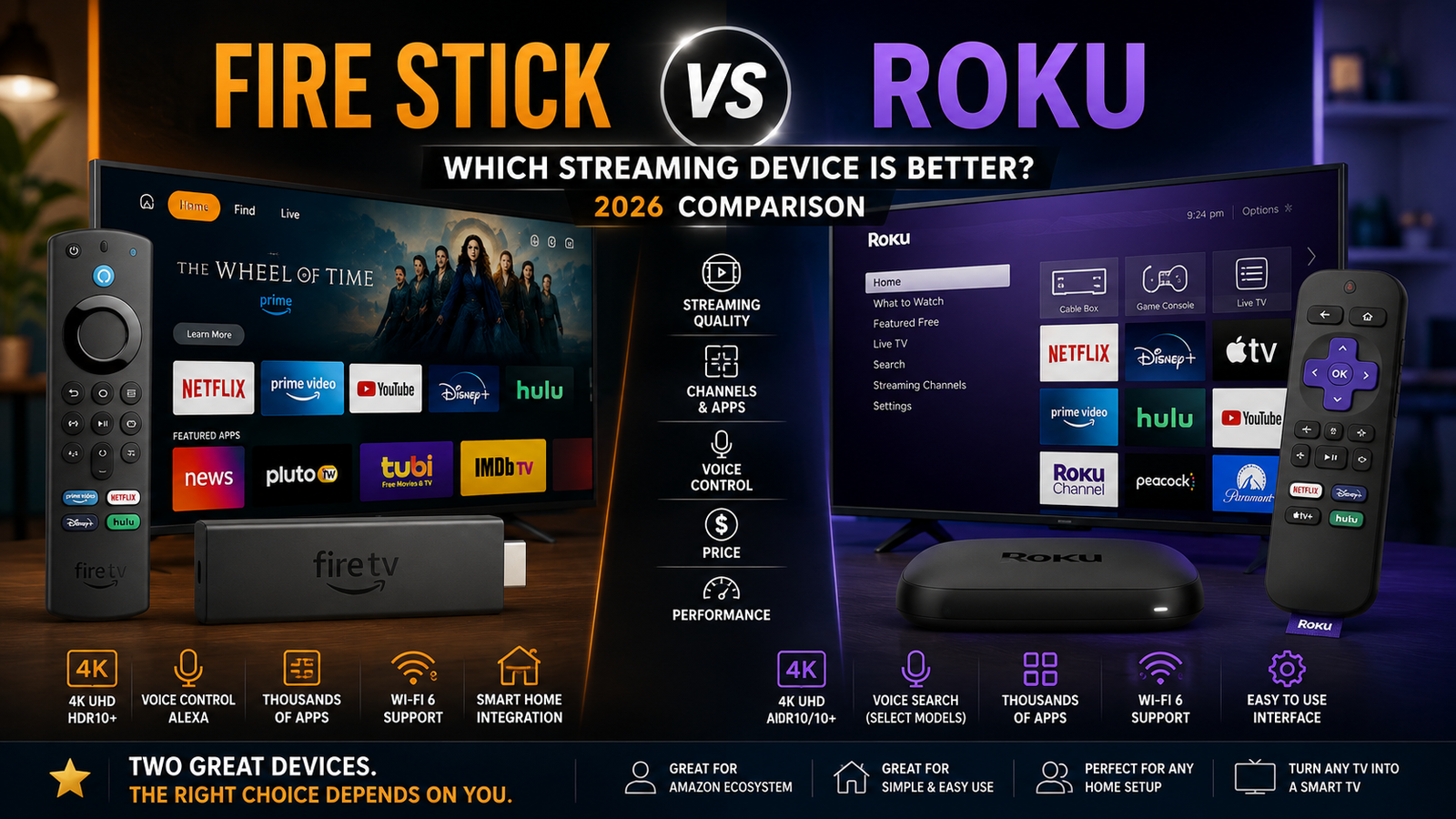
Fire Stick vs Roku: Which Is Better?
If you are choosing between Amazon Fire TV Stick and Roku, the better pick depends less on one winner and more on how you watch TV. Roku is usually the cleaner, simpler choice for people who want an easy streaming home screen. Fire Stick is often better for Alexa users, Prime Video fans, and anyone who wants deeper Amazon features. This guide breaks down fire stick vs roku in plain terms so you can choose the device that fits your living room, travel setup, or second TV.
The answer is not only about specs. It is also about your apps, your smart home gear, and how much you want the TV to push suggestions. That is why the best streaming device for one home can be the wrong one for another.
Roku or Firestick: which is better for most people?
For most casual streamers, Roku is the easier pick. Its interface is simple, its search feels less tied to one store, and the device is easy to hand to guests or less techy family members. Fire Stick can be the better streaming device if you already use Alexa, shop through Amazon, watch a lot of Prime Video, or want a more personal entertainment hub.
The roku vs fire stick debate is really about daily habits. Roku gives you a neutral-feeling launcher with a clean remote and lots of free content. Fire TV gives you discovery tools, voice control, Amazon services, and smart home hooks. Both can stream major apps, and both have affordable sticks, so the choice often comes down to comfort, not raw power.

The core difference is the home screen
The biggest practical difference in any fire stick comparison is what happens when you press Home. Roku uses a grid of apps. Netflix, Hulu, Disney+, YouTube, Prime Video, Apple TV, and other channels sit in an easy-to-scan layout. That makes Roku feel calm and predictable.
Fire TV is more content forward. It shows movies, shows, recommendations, live TV rows, sponsored tiles, Amazon content, and recently used apps. Some people love that because it turns the TV into a discovery page. Others think it is too busy. If you want your streaming device to stay out of the way, Roku has the edge. If you like browsing suggestions before choosing an app, Fire TV may feel more modern.
This is also where the best streaming device answer becomes personal. A simple interface can save time every night. A recommendation-heavy screen can help when nobody knows what to watch. Neither approach is wrong, but they create very different living room moods.
Roku advantages that matter every day
The most important Roku advantages are simplicity, broad support, and a less Amazon-centered feel. Current Roku Streaming Stick 4K models support 4K video up to 60 fps, Dolby Vision, HDR10/10+, HLG, and dual-band Wi-Fi. They also include a voice remote with TV controls and support for Apple AirPlay, HomeKit, Google Home, and Alexa. Those Roku features make the platform flexible even if your home uses a mix of phones, assistants, and smart home devices. (roku.com)
Roku is especially strong when the device will be shared. If grandparents, babysitters, roommates, or guests will use the TV, the app-first layout is easy to understand. There is less of a learning curve, and people do not need to know Amazon menus or Alexa commands to get started.
Key Roku advantages include:
- Simple navigation: Apps are front and center, so you can open what you already pay for without digging.
- Good platform neutrality: Roku supports major streaming services while feeling less tied to one content system.
- Helpful free content discovery: Roku free and live TV areas are useful if you want something to watch without another subscription.
- Broad smart home support: AirPlay, HomeKit, Google Home, and Alexa make Roku easier to fit into mixed-device homes. (roku.com)
- Travel-friendly design: Streaming sticks are compact, hide behind the TV, and move easily between rooms.
Roku is not perfect. Its interface can still show ads and recommendations, and higher-end users may want more power, more storage, or more gaming features than a small stick provides. But for pure streaming, Roku restraint is part of the appeal.
Fire Stick benefits that make Amazon’s device compelling
The biggest fire stick benefits come from Alexa, Prime Video integration, and Amazon’s aggressive approach to features in small devices. Amazon’s Fire TV Stick 4K Max line supports 4K Ultra HD, Dolby Vision, HDR, HDR10+, and Dolby Atmos audio. It also supports Wi-Fi 6E on compatible networks. (press.aboutamazon.com)
That makes Fire Stick attractive if your Wi-Fi network is modern, your TV supports premium HDR formats, and you want a small device that feels stronger than an entry-level streamer. Fire TV also works well for people who use Alexa speakers, Ring cameras, Amazon Photos, or other Amazon services. Voice commands can search content, launch apps, control playback, and work with compatible smart home devices.
A balanced fire stick review should also mention the tradeoff. Fire TV’s home screen can feel busier and more promotional than Roku’s. If you rarely use Prime Video or Alexa, some Fire TV strengths may feel like clutter rather than help.
Fire Stick is a strong fit if you want:
- Alexa voice control from the couch. This helps with quick searches, playback commands, weather checks, and smart home actions.
- A Prime Video-first experience. Amazon content is deeply built in, which is great if Prime Video is one of your main apps.
- Advanced stick-level specs. Fire TV Stick 4K Max is built around Wi-Fi 6E, Dolby Vision, HDR10+, and Dolby Atmos. (press.aboutamazon.com)
- More of an entertainment dashboard. Fire TV is made for browsing, not just launching apps.
- Amazon ecosystem convenience. If your home already runs on Amazon devices, Fire TV fits naturally.
App support is close enough for most homes
For most buyers comparing fire stick vs roku, app support should not be the deciding factor. The major streaming services are available on both platforms, so most homes can watch subscription apps, free ad-supported apps, sports apps, music apps, and movie rental services on either one. The difference is usually how those apps are shown, searched, and recommended.
Before buying, check your must-have apps instead of assuming every niche service works everywhere. This matters most for regional sports networks, international streaming services, fitness apps, church or school apps, and smaller media libraries. If one specific app is the reason you are buying a streaming stick, verify support in the device maker app store first.
The same advice applies to hotel, dorm, and travel use. Roku and Fire TV sticks are both portable, but captive Wi-Fi networks can be shaky. If you travel often, bring the remote, power adapter, and a short HDMI extender if you need one. Hotel TVs can have awkward port placement.
Picture and sound quality depend on the model
A Roku stick and a Fire Stick can both look excellent, but only if you choose the right model for your TV. A basic HD streamer is fine for an older 1080p television. For a newer 4K TV, a 4K model is the smarter buy because it can support sharper resolution and, on some devices, premium HDR formats.
Roku Streaming Stick 4K supports 4K up to 60 fps along with Dolby Vision, HDR10/10+, and HLG on compatible TVs. Fire TV Stick 4K Max also supports 4K Ultra HD and premium formats such as Dolby Vision, HDR10+, and Dolby Atmos. In real viewing, that means both platforms can deliver strong picture quality when the app, TV, internet connection, and content all support the same format. (roku.com)
Do not overbuy based only on specs. If your TV does not support Dolby Vision, paying more for Dolby Vision support will not change the image much. If your sound system does not support Dolby Atmos, Atmos support on the streaming stick will not matter much. Match the device to the gear you already own.
Remote controls and voice search shape the experience
Roku remotes are known for being simple. The Roku Streaming Stick 4K includes a voice remote with TV power, volume, and mute controls, which means many people can use one remote for basic viewing. Some Roku remotes also include shortcut buttons, which are useful if they match the services you use and mildly annoying if they do not. (roku.com)
Fire TV remotes lean into Alexa. If you like pressing a microphone button and saying what you want, Fire TV voice control is one of its strongest features. It is especially helpful for people who dislike typing with an on-screen keyboard.
The difference is subtle but important. Roku voice search feels like an added convenience. Fire TV voice control feels like part of the platform identity. If you plan to use voice every day, that is a real Fire Stick advantage. If you mostly click app icons, Roku remote design may feel cleaner.

Smart home fit can break the tie
If your home already has a dominant smart assistant, follow that system. Fire Stick is the natural choice for Alexa-centered homes because the remote and interface are built around Amazon’s assistant. Roku is more flexible for mixed homes because its current Streaming Stick 4K works with Apple AirPlay and HomeKit, Google Home, and Alexa. (roku.com)
This matters more than many buyers expect. Casting a video from an iPhone, asking a smart speaker to control the TV, or showing a camera feed on screen can be the difference between a device you tolerate and a device that feels built in. If your household uses iPhones and Apple Home, Roku AirPlay and HomeKit support are strong points. If your household uses Echo speakers and Ring devices, Fire TV may feel more natural.
Still, a streaming stick should first be good at streaming. Do not choose a device only because it matches your smart home if you dislike the interface. You will see the home screen more often than you will use advanced smart home features.
Fire Stick vs Roku vs Chromecast comparison
In a fire stick vs roku vs chromecast comparison, Roku is best for simplicity, Fire Stick is best for Alexa and Amazon integration, and Chromecast-style Google TV devices are best for Google account users who like personalized recommendations and casting. The important update is that Google announced Google TV Streamer as its newest streaming device and described it as the next step after Chromecast. (blog.google)
That means current Chromecast comparisons can be confusing. Some shoppers still use Chromecast to mean older Chromecast with Google TV devices, while others mean the newer Google TV Streamer or Google TV platform in general. If you are comparing roku stick vs chromecast vs fire stick or roku stick vs fire stick vs chromecast, compare current models in your region, not an old discontinued dongle.
Here is the practical breakdown:
- Choose Roku if you want a clean app launcher, easy remote, and broad ecosystem support.
- Choose Fire Stick if you want Alexa, strong Prime Video integration, and robust features in a compact stick.
- Choose Google TV Streamer or a Google TV device if you rely on YouTube, Google services, casting, and Google-powered recommendations.
- Keep an older Chromecast only if it still works well for your needs. For a new purchase, compare current Google TV devices instead.
The fire stick vs chromecast vs roku decision often comes down to your phone and assistant. iPhone-heavy home? Roku is friendly. Alexa-heavy home? Fire Stick is obvious. Google-heavy home? Google TV deserves a look.
Apple TV vs Roku vs Fire Stick
Apple TV 4K competes less as a budget stick and more as a premium streaming box. Apple lists the Apple TV 4K with the A15 Bionic chip and support for high-end video formats, including Dolby Vision up to 2160p at 60 fps, while Apple Support notes HDR10+ support on Apple TV 4K third generation. (apple.com)
In an apple tv vs roku vs fire stick comparison, Apple TV is usually best for people deep in the Apple ecosystem who want a polished interface, strong performance, Apple Fitness+, Apple Arcade, HomeKit features, and smooth iPhone integration. Roku is usually the value and simplicity pick. Fire Stick is usually the Amazon and Alexa pick.
The tradeoff is cost and purpose. If you just need to make a bedroom TV smarter, Apple TV may be more device than you need. If you want the smoothest premium streamer for a main TV and already use Apple services, it may be worth it. Roku and Fire Stick win when small size, lower cost, and simple setup matter most.
A practical buying checklist
Before you decide between Fire Stick and Roku, use this checklist to avoid paying for features you will not use:
- Your TV resolution: Buy an HD model for an HD TV and a 4K model for a 4K TV.
- HDR support: Check whether your TV supports Dolby Vision, HDR10+, or basic HDR before favoring those specs.
- Wi-Fi setup: Advanced Wi-Fi features only help if your router and home network can use them.
- Main streaming apps: Confirm any niche or regional app before buying.
- Voice assistant: Choose Fire TV for Alexa-first homes, Roku for broader assistant support.
- Phone ecosystem: Roku AirPlay support is helpful for Apple homes, while Google TV devices may suit Android and Google users.
- Interface preference: Choose Roku if you want apps first; choose Fire TV if you like recommendations and voice discovery.
- Who will use it: For shared family TVs, simple navigation can matter more than advanced features.
- Placement: Make sure your TV has an open HDMI port and nearby power.
This checklist is more reliable than brand loyalty. A device that looks best on paper can still be annoying if the remote, menus, or recommendations do not match how you watch.
Common buyer scenarios
Best for a main living room TV
For a main TV, choose a 4K model from either platform. Roku Streaming Stick 4K is a strong pick if you want simple app access and flexible smart home support. Fire TV Stick 4K Max is compelling if you want a feature-rich Amazon device with Alexa, premium HDR support, and Wi-Fi 6E on compatible networks. (roku.com)
Best for a bedroom or guest room
Roku often shines in bedrooms and guest rooms because the interface is easy to understand. Guests can find apps fast without learning a new content dashboard. Fire Stick still works well here, especially if the room already has an Echo speaker or if Prime Video is the main service.
Best for older users
Roku is usually easier for older users because the layout is more direct. Fewer menus and a familiar app grid reduce confusion. Fire TV can still be a good choice if the person is comfortable using Alexa voice commands, but the busier home screen may take more time to learn.
Best for Amazon Prime members
Fire Stick is the obvious starting point for heavy Prime Video users. The interface is built to surface Amazon content and make Alexa search feel central. Roku also supports Prime Video, but it does not make Amazon the center of the experience.
Best for mixed-device households
Roku is often the safer choice when one person uses an iPhone, another uses Android, one room has Alexa, and another uses Google Home. Its broad support helps avoid ecosystem arguments. That does not make Roku more powerful in every category, but it does make it easier to recommend for homes with mixed tech habits.
The verdict is about habits, not hype
If you want the simplest answer to fire stick vs roku, choose Roku for ease and neutrality, and choose Fire Stick for Alexa and Amazon integration. Roku is the better fit for people who want a clean app-first interface. Fire Stick is the better fit for people who like voice search, Prime Video discovery, and a more active home screen.
If you are comparing fire stick vs roku vs chromecast, remember that Google’s current direction centers on Google TV Streamer rather than the older Chromecast line. If you are comparing apple tv vs roku vs fire stick, treat Apple TV as the premium option rather than a direct budget-stick replacement. The best streaming device is the one that makes your nightly routine faster, not the one with the longest spec sheet.
For most households, Roku is the safest all-around recommendation. For Amazon-centered homes, Fire Stick may be the more satisfying choice. Either way, choose the current model that matches your TV, Wi-Fi, apps, and smart home setup, and you will end up with a streaming device that feels like an upgrade instead of another gadget to manage.
Q&A
Question: Is Roku or Fire Stick better if I only care about major streaming apps?
Short answer: Either platform should work well for most major apps, so the better choice comes down to interface and ecosystem. Choose Roku if you want a simple app grid that gets out of the way. Choose Fire Stick if you prefer Alexa voice search, Prime Video integration, and a recommendation-heavy home screen.
Question: Do I need a 4K Roku or Fire Stick if my TV is only 1080p?
Short answer: Not always. A basic HD streamer is usually enough for an older 1080p TV. A 4K model makes more sense if you have a 4K TV or plan to upgrade soon, especially if you want support for Dolby Vision, HDR10+, or Dolby Atmos on compatible gear.
Question: Which device is easier for guests, older users, or less techy family members?
Short answer: Roku is usually easier because its home screen puts apps front and center in a simple grid. Fire Stick can still be a good fit for people who like Alexa, but its busier home screen and deeper Amazon links may take more adjustment.
Question: Should smart home support decide between Roku and Fire Stick?
Short answer: It can break a tie, but it should not be the only factor. Fire Stick is a natural match for Alexa, Echo, Ring, and Prime Video users. Roku is more flexible for mixed homes because it supports Apple AirPlay, HomeKit, Google Home, and Alexa on current Streaming Stick 4K models.
Question: How should I think about Chromecast or Apple TV in this comparison?
Short answer: Treat Google TV devices as the best fit for Google services, YouTube, casting, and personalized recommendations, especially now that Google TV Streamer is the main path forward. Treat Apple TV 4K as a premium choice for Apple-focused homes, not as a direct budget-stick replacement for Roku or Fire Stick.