

Yes, 4K IPTV streaming is real and practical today when you choose a reputable subscription with HEVC/H.265 support, HDR capability, and reliable servers. We built our catalog around that standard, with a large number of channels and on-demand titles across the UK and USA. The next step is simple: test a subscription on your own device and see the picture quality for yourself.
TL;DR:
- Allow at least 25 Mbps per stream; households sharing bandwidth or running multiple streams should aim for 50 Mbps or more.
- Check that your device decodes HEVC in hardware and supports HDMI 2.0 or later, then test a live channel for five to ten minutes.
- Before paying, verify native 4K feeds, concurrent stream limits, trial or short term options, cancellation terms, and whether the provider is properly licensed.
Table of Contents
- What 4K IPTV delivers: resolution, HDR, and real feed quality
- Devices and players that reliably handle 4K IPTV
- Bandwidth and network setup for smooth 4K playback
- How to choose a 4K IPTV subscription plan
- Our proof points: what we deliver and how we support you
- When a paid subscription beats a DIY playlist
- Ready to try 4K IPTV? Here’s how to start
- FAQ
- Sources
What 4K IPTV delivers: resolution, HDR, and real feed quality
“4K IPTV” means a channel or video-on-demand title streamed at Ultra HD resolution (3840×2160 pixels), four times the pixel count of standard 1080p. HDR formats like HDR10 and Dolby Vision add a wider range of brightness and color, which matters more for perceived quality than resolution alone on a good display.
A large advertised channel count does not tell you how many feeds are actually broadcast in native 4K. Many “4K” lineups upscale lower-resolution sources, so the real test is the stream’s technical makeup, not the number on the plan page.
Look for these signals before trusting a provider’s claim:
- Codec: HEVC/H.265 compression, which handles 4K at manageable file sizes.
- Bitrate: sustained rates in the 25 to 50 Mbps range for true 4K content.
- HDR metadata: HDR10 or Dolby Vision tags visible in your player’s info screen.
- Source quality: live sports and movie VOD titles sourced in native 4K rather than upscaled HD.
4K content requires significantly more bandwidth and processing power than HD, which is why hardware specs for devices like Apple TV 4K list specific HEVC and HDMI requirements. A provider that cannot explain its codec or bitrate is one to question.
Devices and players that reliably handle 4K IPTV
Not every streaming box or app plays 4K cleanly, even when the subscription itself delivers true 4K feeds. The device has to decode HEVC in hardware, output over an HDMI 2.0 or newer connection, and run an app built for high-bitrate playback.
- Check hardware decoding first. Confirm the device supports HEVC/H.265 decoding natively, since software decoding often stutters on 4K content.
- Verify HDMI version. HDMI 2.0 or later is needed for 4K at higher frame rates and HDR pass-through.
- Pick a capable player app. Look for playlist (M3U) support, an electronic program guide (EPG), catchup/replay functions, and HEVC compatibility; IPTV-focused apps are listed in stores like the Roku Channel Store’s 4K IPTV category.
- Run a short test stream. Load a live 4K channel for five to ten minutes and watch for dropped frames or resolution switching before committing to a device.
- Account for mobile limits. Phones and tablets often downscale playback to save battery and data, so a mobile app that looks great may not reflect your TV experience.
Smart TVs with built-in apps, dedicated streaming sticks, and set-top boxes tend to perform most consistently once these boxes are checked.
Bandwidth and network setup for smooth 4K playback
A single sustained 4K stream typically needs at least 25 Mbps, with 50 Mbps or more recommended if other devices share the connection or you run multiple streams at once in a multi-room household.
A few setup habits make a bigger difference than raw speed alone:
- Use Ethernet where possible. A wired connection avoids the interference and signal loss that Wi-Fi introduces, especially over longer distances.
- Choose 5GHz Wi-Fi if wireless is your only option. It handles higher bitrates better than the older 2.4GHz band.
- Set basic Quality of Service (QoS) rules on your router so your streaming device gets priority over background downloads.
- Restart your router and player periodically to clear buffering caused by memory buildup, not just bandwidth limits.
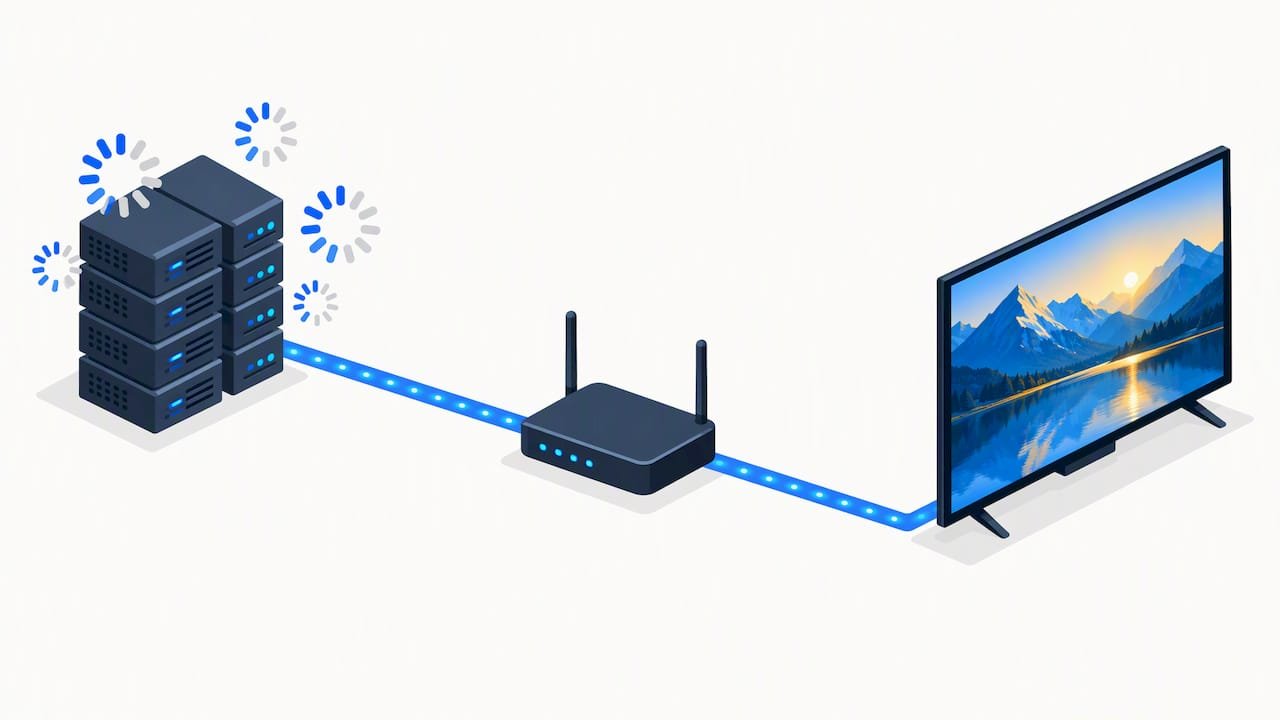
Headline internet speed is only part of the picture. Server quality and adaptive bitrate handling on the provider’s end matter just as much, since even a fast connection buffers if the source server is congested or capping bitrate during peak hours.
Pro Tip: If a stream buffers repeatedly at the same time each day, the bottleneck is usually the provider’s server load, not your home network.
How to choose a 4K IPTV subscription plan
Picking a subscription comes down to a short list of practical checks rather than comparing marketing claims. Confirm these before paying for anything:
- Server uptime and redundancy, so one outage does not take down your access.
- Genuine 4K feed availability, not just an advertised channel count.
- Device compatibility across your TV, phone, and any streaming box you already own.
- Concurrent stream limits that match your household size.
- VOD update frequency at no added cost.
- A trial or short-term option to test before committing long-term.
- Responsive customer support that can walk you through setup issues.
Plan length matters too:
- Month-to-month suits casual viewers who want to test a service before deciding.
- Quarterly plans fit households that already know they want the content but prefer flexibility over a full year.
- Annual plans make sense for committed users who stream daily and want the lowest cost per month.
Always confirm the refund and cancellation policy before entering payment details, and avoid any provider that is vague about recurring charges.
Our proof points: what we deliver and how we support you
We built our service around the checks above rather than asking subscribers to take claims on faith. Here’s what that looks like in practice:
- A wide selection of live channels and VOD titles, covering sports, movies, and series across the UK and USA.
- Server infrastructure designed to reduce buffering during peak viewing hours like live sports broadcasts.
- Device compatibility across smart TVs, Android and iOS devices, and set-top boxes, detailed on our channel and streaming feature page.
- Regular content updates to the channel and VOD library.
- Support that assists new subscribers through setup rather than leaving them to figure it out alone.
For device-specific setup help, our guide on what to know before choosing a 4K streaming service covers compatibility details in more depth. If you want a broader sense of how to evaluate IPTV providers generally, our overview on evaluating IPTV services walks through the same criteria from a buyer’s perspective.
When a paid subscription beats a DIY playlist
A paid, supported subscription earns its cost when reliability matters: live sports where a dropped stream ruins the moment, multi-room households running several devices at once, or anyone who wants someone to call when setup goes wrong. Free or self-assembled playlists can work for casual, low-stakes viewing, but they rarely hold up under daily use. If your priority is dependable playback over tinkering, pick a supported plan and start watching instead of troubleshooting.
— AHMED
Ready to try 4K IPTV? Here’s how to start
We offer four plan shapes to match how committed you are: 1 MONTH, 3 MONTHS, 6 MONTHS, and 12 MONTHS. Most households that stream daily find the annual plan, 1 Year+Free 3 Months, the best value since it adds three months at no extra cost on top of the full year.
- Servers built to handle live sports and peak-hour demand.
- A substantial selection of channels and VOD titles, updated regularly.
- Setup support included to help you start watching quickly.
- Device compatibility across smart TVs, mobile devices, and set-top boxes.
Pick the plan that fits your household, head to our plans and pricing page to compare options, and reach out to support if you need help choosing a device.
FAQ
Does 4K IPTV actually exist?
Yes, 4K IPTV is a real technology that delivers Ultra HD streams over an internet connection rather than traditional broadcast signals. The quality depends on the provider’s source feeds, server bitrate, and your device’s decoding capability, so not every “4K” label reflects a true native 4K source.
Is IPTV legal in the USA?
IPTV technology itself is legal, but streaming content without proper licensing is not. Unauthorized streaming typically implicates the copyright holder’s public-performance right under U.S. law, so choosing a licensed, transparent provider matters for staying on the right side of that line.
What are some good 4K IPTV players?
Reliable players support HEVC decoding, M3U playlist imports, an electronic program guide, and catchup functionality. App stores like the Roku Channel Store list several IPTV-focused apps, though the apps themselves require a separate content subscription.
What is the best streaming device for IPTV?
The best device is one with native HEVC hardware decoding and an HDMI 2.0 or newer output, found in current-generation smart TVs, streaming sticks, and set-top boxes. Checking a manufacturer’s specs page, such as Apple TV 4K’s listed requirements, helps confirm a device can actually handle sustained 4K playback before you buy.
What should I check before choosing a 4K IPTV provider?
Confirm genuine 4K feed availability, server uptime, device compatibility, concurrent stream limits, and a clear refund or trial policy. Watch for billing transparency too, since the FTC has acted against deceptive subscription schemes that used unclear continuity charges.
Sources
- U.S. Copyright Office responses on unauthorized streaming (letter to Senators Tillis and Coons)
- FTC press release on unauthorized billing scams and consumer protection (2024)