
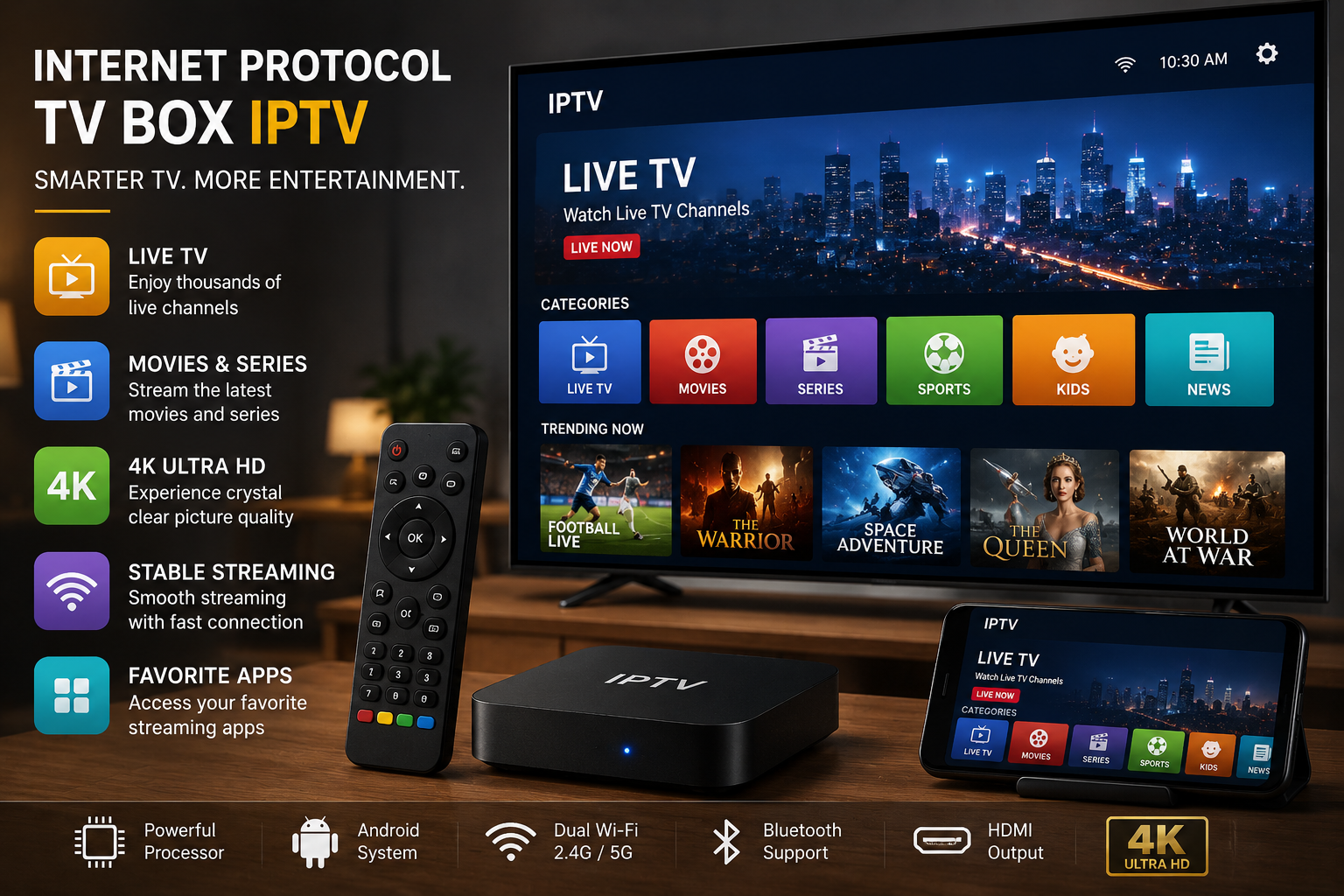
Internet Protocol TV Box Guide for Buyers
An internet protocol tv box can bring live TV, on-demand video, catch-up viewing, and app-based entertainment to one screen. The box is only part of the setup. You also need a legal app and a licensed content source.
What is an IPTV box?
An IPTV box is a streaming device that receives television content over internet protocol. That is the same basic method your home network uses to move data between apps, websites, and connected devices.
Instead of tuning into broadcast signals, the box connects to your internet service, opens an IPTV app or platform, and plays channels or video streams from a provider. In simple terms, it turns internet-delivered TV into a familiar viewing setup with menus, categories, a remote, and often an ip tv guide.
The term IPTV stands for Internet Protocol Television. That sounds technical, but the user experience can feel normal. You turn on the TV, open an app, browse internet protocol television channels, and choose something to watch.
An internet protocol tv box may be a dedicated set-top box, an Android media player, a small streaming stick, or a smart TV app. Some viewers use a separate box because it can offer better performance, more storage, more app support, or a cleaner interface than the apps built into older TVs.

How IPTV boxes fit into modern viewing
IPTV boxes have become popular because viewing habits have changed. People do not want to plan their evenings around fixed schedules if they can avoid it. They want live TV when it matters, on-demand content when it is convenient, and access from different rooms or while traveling.
A typical IPTV setup includes three parts:
- A stable internet connection that can support video streaming without constant buffering.
- A device or app such as an IPTV box, smart TV app, Android app for IPTV, or media player.
- A legal content source from a licensed IPTV service, broadcaster, telecom provider, or enterprise platform.
This is why IPTV can mean different things in different contexts. A household may use it for entertainment. A telecom company may use IPTV business for ISP packages as part of broadband bundles. A hotel, hospital, campus, or public institution may need an IPTV government solution or a private network video system. The technology is flexible, but the right setup depends on who is using it and what content rights are involved.
Is IPTV legal?
IPTV is legal when the service has the rights to distribute the channels, movies, shows, and other content it offers. The technology itself is not illegal. The legal issue depends on whether the provider is licensed, transparent, and authorized to sell or stream the content.
If an offer promises huge premium channel bundles for a low price, hides ownership details, or pushes unofficial downloads, it should be treated with caution.
This distinction matters because many people search for phrases like iptv legal, is iptv free, iptv freeware, or iptv for sale without realizing that not every result points to a legitimate service. Some free IPTV options are lawful, especially when they feature public channels, free ad-supported streams, or broadcaster-approved content. Others may be unauthorized, unstable, or risky for users.
A legal IPTV provider should make it clear what it offers, how billing works, what devices are supported, and where its content comes from. It should not require you to disable basic device protections, install unknown files from suspicious sources, or pay through unusual methods that offer no customer protection.
The main types of IPTV boxes
Not all IPTV boxes are built for the same viewer. Some are simple plug-and-play devices, while others feel closer to mini computers for the TV. Understanding the main types helps you avoid hardware that is too limited or more complex than you need.
Dedicated set-top boxes
A dedicated IPTV set-top box is usually designed around one service or a controlled group of services. These boxes are common with telecom providers, internet protocol tv providers, and managed TV systems. They may include a custom interface, remote control, electronic program guide, parental settings, and support for live TV or video on demand.
The benefit is simplicity. The provider can manage updates, channel access, and support. The drawback is that you may not be able to install many third-party apps, so the device can feel locked down compared with a general Android box.
Android IPTV boxes
Android IPTV boxes are popular because they support a wide range of apps. If you want an android app for IPTV, media players, streaming services, and utility tools in one place, an Android box can be flexible.
Many viewers also look for the best IPTV Android player because the player app can shape the whole experience, including playlist handling, guide display, parental controls, subtitles, and catch-up support.
Flexibility comes with responsibility. You need to choose reputable apps, keep the device updated, and avoid installing unknown software just because a forum or social post recommends it. Search terms like iptv smarters pro 4 devices download, smart tv pro, or iptv ultra may lead to mixed results, so it is safer to use official app stores or verified developer sources whenever possible.
Smart TV apps and built-in options
Some people do not need a separate box at all. A modern TV may support IPTV apps directly, especially if it runs a common smart TV platform. That can reduce clutter and make setup easier.
The limit is speed and fit. Older smart TVs may have slower processors, limited storage, or app stores that no longer receive updates. In those cases, a separate internet protocol tv box may deliver a smoother experience and extend the life of the TV.
Mobile and travel-friendly setups
On the go IPTV is another reason people explore this technology. A service that supports phones, tablets, laptops, or compact streaming devices can be useful for frequent travelers, students, and families who want flexible viewing away from the main TV room.
Before relying on IPTV while traveling, check whether your service allows mobile use, how many streams are permitted at once, and whether location limits apply. A legal service may limit viewing based on content rights, region, or account terms.

Core features that matter most
Many IPTV box listings are filled with buzzwords. You may see phrases like iptv fast, iptv real, iptv ultra, trendy iptv review, or even unfamiliar names such as iptv vall. Some terms may refer to specific apps, services, reseller pages, or marketing labels. Others may simply be search phrases people use when comparing options.
Instead of focusing on labels, look at the features that affect daily viewing.
Performance and stability
Video streaming depends on steady performance. A box with weak Wi-Fi, limited memory, or poor software support may struggle even if your internet plan is strong. Look for smooth menu navigation, reliable app support, and enough processing power for the video quality you expect.
Stability is just as important as speed. An IPTV box should not need constant restarts, lose connection repeatedly, or freeze when opening the guide. If user feedback keeps mentioning buffering, crashes, or overheating, that is more useful than a bold ultra fast claim.
App compatibility
The box should support the services and apps you actually plan to use. Some users need a specific provider app. Others want a general player that can handle playlists, guide data, subtitles, multiple profiles, or external media.
If you are choosing an Android device, confirm that it supports trusted app sources. A good IPTV setup should not depend on risky workarounds. If the device needs unusual installation steps for basic use, pause and ask whether there is a safer option.
Guide and navigation
A clear ip tv guide can make IPTV feel much more like traditional TV. It helps you browse channels, see what is playing now, and plan what to watch later. For large lineups, guide quality can be the difference between a smooth experience and a frustrating one.
Good navigation matters for families and shared homes. A clean interface, search function, favorites list, and category organization can save time every day. The best setup is not always the one with the most channels. It is the one that makes the channels you use easiest to find.
Catch-up and replay features
IPTV with catch up TV lets viewers watch selected programs after they air, depending on the service rights and storage rules. This is one of the most practical IPTV features because it reduces the pressure to watch live. Sports, news, serial dramas, and regional programming can all become easier to follow when catch-up is available.
Not every service offers catch-up, and not every channel supports it. If this feature matters to you, check the details before signing up. Ask how long programs stay available, whether catch-up works on all supported devices, and whether it is included or sold as an add-on.
Is IPTV worth it?
IPTV can be worth it if you want flexible viewing, have reliable internet, choose a legal provider, and use a device that fits your habits. It may not be worth it if your internet connection is unstable, your preferred channels are not available through licensed services, or you are mainly drawn to suspiciously cheap offers.
The value depends less on the word IPTV and more on the quality of the provider, the rights behind the content, and the ease of using the system every day.
To decide whether IPTV is a good fit, think about your current viewing problems. Are you paying for channels you rarely watch? Do you want regional content that your cable package does not carry? Do you need catch-up TV because you miss live broadcasts? Do you want a single device that supports live TV, streaming apps, and on-demand libraries?
IPTV may be especially useful for viewers who want:
- More flexible access across televisions, phones, tablets, or travel devices.
- Better program discovery through guides, categories, and search.
- Regional or language-specific content, such as Indian IPTV options from legitimate providers.
- Managed viewing environments for businesses, campuses, hotels, or public organizations.
- Catch-up features that reduce dependence on live schedules.
It may be less appealing if you prefer the simplicity of traditional cable, do not want to manage apps or devices, or live in an area where internet performance is inconsistent. The best answer is practical: test the legal options available to you, compare the actual channel lineup, and choose based on your household habits rather than hype.
Choosing a provider without getting misled
The provider matters more than the box. A premium device cannot fix a poor or unauthorized service. Before choosing from internet protocol tv providers, take time to check trust, support, fit, and content quality.
A trustworthy provider should be clear about its service. You should be able to understand what you are buying, how long the plan lasts, which devices are supported, and how to get help if something goes wrong. If the website or seller only emphasizes massive channel counts and urgent discounts, that is not enough information.
Use this checklist before paying for any IPTV service:
- Look for licensing clarity. The provider should not be vague about content rights or act as if legality does not matter.
- Check supported devices. Confirm whether the service works on your IPTV box, smart TV, Android player, phone, or tablet.
- Review the channel list carefully. Make sure the channels you want are included, not just thousands of unfamiliar options.
- Ask about catch-up TV. If replay access matters, confirm channel coverage and time limits.
- Check customer support options. A real service should offer a clear way to get help.
- Avoid unrealistic promises. Very low prices for large premium bundles can be a warning sign.
- Use secure payment methods. Avoid sellers that push unusual payments or provide no receipt.
- Read balanced feedback. A trendy iptv review may be useful, but look for specific details rather than vague praise.
There is no universal one IPTV provider that is best for everyone. A sports-heavy household, a multilingual family, a business, and a traveler may all need different features. The right provider is the one that legally delivers the content you want on the devices you use, with support that matches your expectations.
Hardware details that affect the viewing experience
When people shop for an internet protocol tv box, they often focus on price first. Price matters, but hardware quality can affect buffering, app loading, remote response, and long-term reliability. A cheaper box may be fine for basic viewing, while a higher-quality device may be worth considering if you stream often or use multiple apps.
Connection quality
A wired Ethernet connection is often more stable than Wi-Fi, especially for high-resolution streaming or crowded home networks. If your TV is far from the router, strong Wi-Fi support becomes more important. Some users improve performance by moving the router, using a mesh network, or connecting the box directly with a cable.
Remember that speed tests do not tell the whole story. Consistency matters. A connection that spikes high but drops often can still cause buffering.
Storage and memory
IPTV apps, guide data, updates, and other streaming apps all use device resources. Limited storage can make a box feel cramped, while limited memory can slow multitasking. If you plan to use several apps, choose hardware that gives you enough breathing room.
You do not need the highest specs for simple viewing. But you should avoid devices that already feel outdated when new, especially if they come from unknown brands with little software support.
Remote control and usability
A remote may seem minor until you use it every day. Good buttons, voice search, responsive navigation, and shortcut keys can make the experience smoother. For older viewers or children, a simple remote can be more valuable than advanced features buried in menus.
If you plan to use the box for more than IPTV, consider whether it supports Bluetooth accessories, keyboards, or game controllers. These extras are not essential for everyone, but they can make a living room setup more versatile.
Apps, players, and playlists
An IPTV box usually needs an app or player to display content. Some providers offer their own app, while others support third-party players. The player does not create licensed content by itself. It only organizes and plays streams that come from a provider or approved source.
This matters because many people confuse players with services. Searching for the best IPTV Android player, iptv freeware, or smart tv pro may help you find tools, but tools are not the same as legal channel subscriptions. A player can have a polished interface and still require legitimate content sources.
Common player features include:
- Playlist support for provider-supplied channel lists.
- Electronic program guide integration for schedules and program details.
- Favorites and categories for easier browsing.
- Parental controls to limit access to certain content.
- Multi-device support if the provider allows more than one stream.
- Catch-up TV display where the service supports it.
Be careful with unofficial app downloads. A phrase like iptv smarters pro 4 devices download may appear in search results because users want to install an app across several devices, but the safe approach is to check official sources, device compatibility, and the provider terms. Avoid files from random pages that ask for too many permissions or bypass normal app store protections.
IPTV for regional and international viewing
One reason IPTV attracts attention is its ability to support regional and international content. Viewers looking for Indian IPTV, language-specific channels, diaspora programming, or cultural content may find internet-based delivery more flexible than traditional local cable packages.
This can be useful for families who want news, films, serials, music, religious programming, or sports from specific regions.
The same legal rules apply. A legitimate regional IPTV service should have rights to distribute its channels in the markets it serves. Some content may be available in one country but restricted in another, so availability can vary.
When comparing regional IPTV options, consider:
- Whether the service supports your country or region.
- Whether the channel lineup includes the languages and networks you want.
- Whether catch-up is available for time-zone differences.
- Whether subtitles, audio options, or program categories are easy to use.
- Whether support is available in a language you are comfortable with.
For many households, regional content is not a bonus. It is the main reason to explore IPTV. Take time to verify the lineup instead of assuming that a large channel count includes the channels that matter to you.
IPTV beyond the living room
IPTV is not only a consumer entertainment product. Businesses and public organizations may use the same basic technology to distribute video across controlled environments. The goals are different, but the advantages are similar: centralized management, flexible delivery, and the ability to update content without traditional broadcast infrastructure.
For example, IPTV business for ISP models can allow internet service providers to package television with broadband, offer managed set-top boxes, and support local or premium content bundles where licensing allows. In hotels, IPTV can help teams provide guest entertainment, property information, and branded messaging. In healthcare or education, managed systems can distribute announcements, training content, or approved channels.
An IPTV government solution may involve secure internal communications, public information displays, or controlled video distribution across departments. In these environments, reliability, security, access control, and compliance are usually more important than consumer-style channel variety.
Organizations considering IPTV should think beyond the box itself. They may need network planning, content management, user permissions, monitoring, support workflows, and long-term maintenance. A consumer device bought online is rarely enough for a serious business or institutional deployment.

Common misconceptions about IPTV
IPTV is surrounded by confusion because the term is used by legitimate broadcasters, telecom companies, app developers, resellers, and questionable sellers. Clearing up a few misconceptions can help you make safer decisions.
IPTV means illegal streaming
This is false. IPTV is a delivery method. Many lawful services use internet protocol to deliver video. The problem is not IPTV itself. The problem is unauthorized distribution of protected content.
More channels always means better value
A giant channel list can look impressive, but most viewers use only a small part of it. A smaller legal lineup with reliable streams, a good guide, and useful catch-up features may be better than a huge list that is disorganized or unstable.
Free IPTV is always unsafe
Not always. Some free services are legal, especially ad-supported streaming channels, public broadcasters, and official free live streams. The risk comes from unknown sources that offer premium content without clear rights or ask users to install suspicious software.
Any Android box will work well
Android boxes vary widely. Some are well-supported and easy to update, while others have weak hardware, poor remotes, or outdated software. If IPTV is a major part of your entertainment setup, choose the device as carefully as you choose the provider.
A simple setup process for beginners
Setting up IPTV does not have to be complicated. The exact steps depend on your device and provider, but the basic flow is usually similar. Take your time, especially if you are helping a less technical family member.
Follow this beginner-friendly process:
- Confirm your internet connection. Make sure your home network is stable where the TV is located.
- Choose your device. Decide whether you will use a dedicated box, Android box, smart TV app, phone, tablet, or streaming stick.
- Select a legal provider. Review licensing clarity, channel lineup, pricing terms, support, and device fit.
- Install the official app or approved player. Use trusted app stores or verified provider instructions.
- Sign in or add provider details. Enter only the information your provider supplies through official channels.
- Load the guide. Check whether the ip tv guide shows program information correctly.
- Create favorites. Save the channels you use most so you do not have to scroll through long lists.
- Test live and catch-up playback. Try several channels at different times to confirm stability.
- Adjust parental controls. Set restrictions if children or shared users have access.
- Keep everything updated. Update the device and apps to maintain performance and security.
If something does not work, start with the basics: restart the device, check the connection, update the app, and confirm your account status. If the issue continues, contact the provider rather than downloading random repair apps from unknown websites.
How to compare IPTV options responsibly
A responsible comparison looks at the complete experience, not only channel counts or marketing claims. This is especially important when search results include phrases like iptv fast, iptv real, iptv ultra, iptv vall, or iptv for sale. Some listings may be legitimate, some may be resellers, and some may be unclear. Your job is to separate useful information from noise.
Use these comparison points:
- Legitimacy: Is the provider transparent about who it is and what it sells?
- Content fit: Does it include the channels and categories you actually watch?
- Device support: Does it work on your IPTV box, smart TV, mobile device, or Android player?
- Guide quality: Is the schedule accurate, readable, and easy to browse?
- Catch-up options: Does it support IPTV with catch up TV on the channels you care about?
- Streaming stability: Are streams consistent during busy viewing hours?
- Support: Can you reach a real support channel when needed?
- Account terms: How many devices or simultaneous streams are allowed?
- Security: Does setup rely on trusted apps and normal payment methods?
If you are reading a trendy iptv review, look for specific observations. Useful reviews describe setup, interface, guide accuracy, playback consistency, support experience, and device fit. Less useful reviews repeat promotional claims without showing how the service performs in real use.
Practical tips for a better IPTV experience
Once you have a legal provider and a suitable device, small changes can make IPTV feel smoother. Many common frustrations come from network placement, app clutter, outdated software, or poor organization rather than the IPTV technology itself.
Try these practical tips:
- Use Ethernet when possible. A wired connection can reduce buffering and random drops.
- Place the router carefully. Avoid hiding it behind thick walls, metal furniture, or crowded electronics.
- Close unused apps. Freeing resources can help lower-powered boxes run better.
- Update regularly. App and device updates often improve stability and security.
- Organize favorites. Put your most-watched channels at the top instead of browsing the full list every time.
- Check account limits. Too many simultaneous streams may cause playback issues if your plan restricts them.
- Avoid overloaded devices. Do not install every IPTV freeware tool you find; keep only what you use and trust.
- Restart occasionally. Like any connected device, an IPTV box can benefit from a clean restart.
These steps will not fix an unauthorized or poorly managed service, but they can help a good service perform better. If problems continue across multiple devices and networks, the provider may be the issue.
Final takeaway
An IPTV box can be a practical way to bring internet-delivered TV to your living room, especially if you want live channels, on-demand content, catch-up TV, regional programming, or flexible viewing across devices. The technology is straightforward once you separate the device, the app, and the content provider.
The safest path is to choose a reliable internet protocol tv box, use trusted apps, and subscribe only to legal services that clearly explain what they offer. IPTV can be worth it, but only when the setup matches your viewing habits and the provider respects content rights. Focus on trust, usability, guide quality, and support, and you will be far more likely to build a setup that feels convenient instead of confusing.
Q&A
Question: Do I need a separate IPTV box if I already have a smart TV?
Short answer: Not always. A modern smart TV may run IPTV apps directly, which can reduce clutter and simplify setup. However, a separate internet protocol tv box may be better if your TV is older, has limited storage, runs apps slowly, or no longer receives app updates. A dedicated box or Android IPTV box can also offer stronger performance, better app fit, and a smoother guide experience.
Question: What is the most important thing to check before paying for an IPTV service?
Short answer: Trust should come first. The provider should be clear about licensing, billing, supported devices, customer support, and where its content comes from. A low price or huge channel list is not enough. If a service hides ownership details, pushes unofficial downloads, requires unusual payment methods, or offers premium channels at a very low cost, it may be risky or unauthorized.
Question: Is the IPTV player the same thing as the IPTV service?
Short answer: No. The player is only the app or tool that organizes and plays streams. It may provide playlist support, an electronic program guide, favorites, parental controls, subtitles, or catch-up display, but it does not create licensed content by itself. You still need a legitimate provider or approved content source for the channels and programs you watch.
Question: Why does IPTV buffer even when my internet speed seems fast?
Short answer: Streaming depends on consistency, not just headline speed. Buffering can happen because of weak Wi-Fi, router placement, crowded networks, limited device memory, poor app performance, unstable provider servers, or too many simultaneous streams on the same account. Using Ethernet, updating apps, closing unused apps, checking account limits, and testing playback at different times can help identify the cause.
Question: Who benefits most from IPTV?
Short answer: IPTV is often most useful for viewers who want flexible access across devices, better program discovery, catch-up TV, regional or language-specific content, or a combined live TV and on-demand experience. It can also be valuable for businesses, ISPs, hotels, schools, healthcare settings, and public organizations that need managed video distribution. It is less ideal for people with unstable internet or those who prefer a simple traditional cable setup.
One Reply to “Internet Protocol TV Box Guide for Buyers”